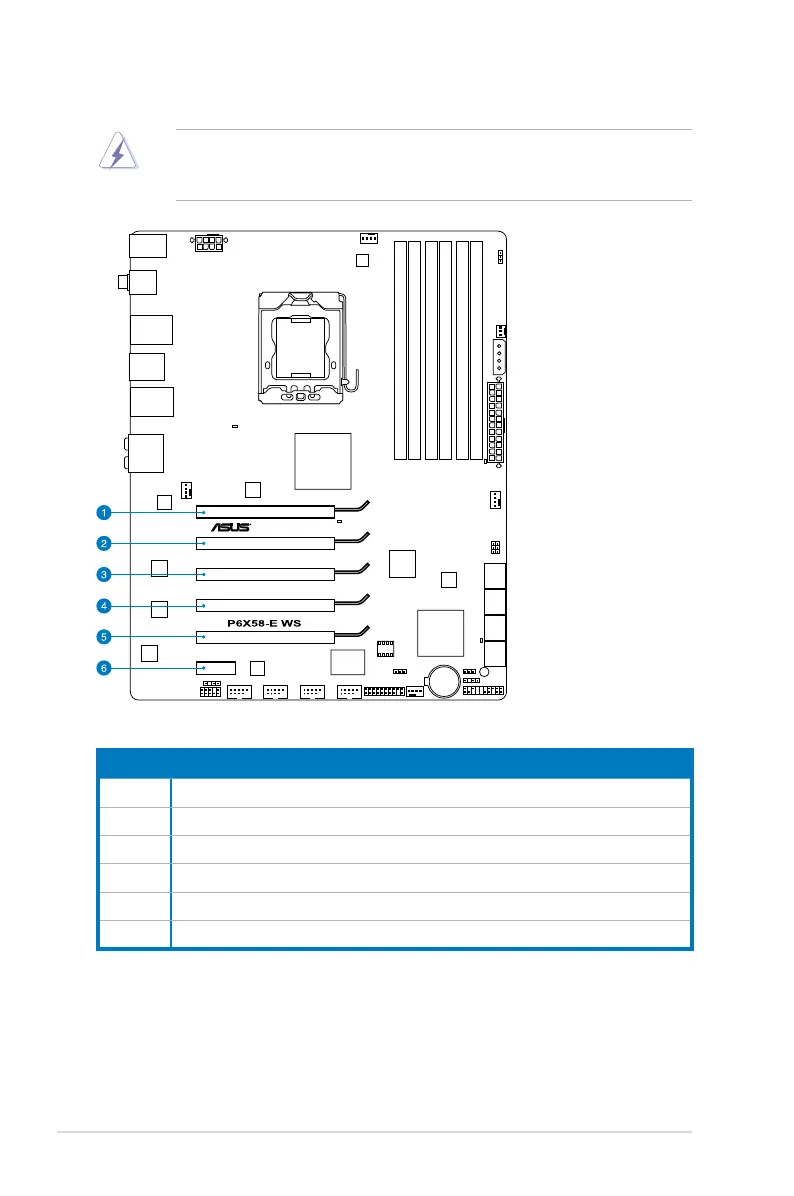
2.5.4 Expansion slots
Ensure to unplug the power cord before adding or removing expansion cards.
Failure to do so may cause you physical injury and damage motherboard
components.
Slot No. Slot Description
1 PCIe 2.0 x16_1 slot (x16 mode)
2 PCIe 2.0 x16_2 slot (x8 mode)
3 PCIe 2.0 x16_3 slot (single at x16 or dual at x8/x8 mode)
4 PCIe 2.0 x16_4 slot (x8 mode)
5 PCIe 2.0 x16_5 slot (single at x16 or dual at x8/x8 mode)
6 PCIe 1.0 x1_1 slot
2-20 Chapter 2: Hardware information










 To Next Page