ASUS P6X58-E WS 3-3
5. Follow the onscreen instructions to complete the update process.
The ASUS Update utility is capable of updating itself through the Internet.
Always update the utility to avail all its features.
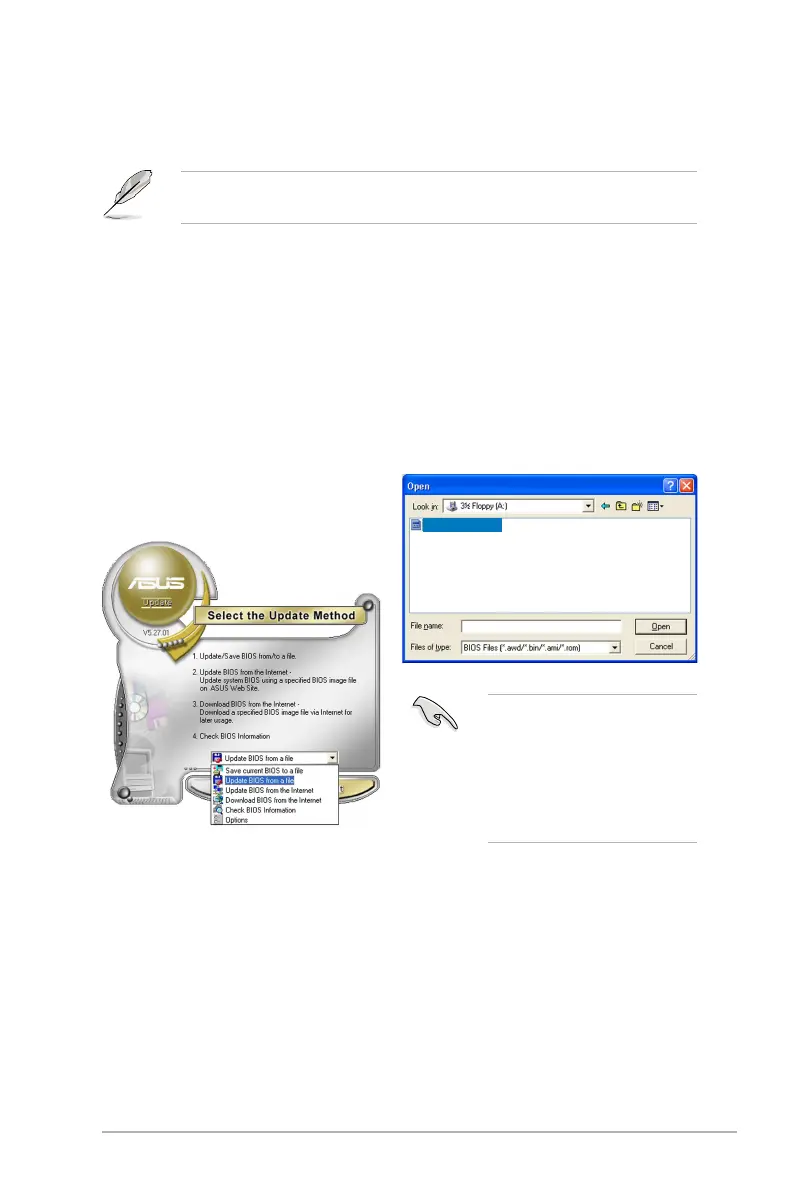
Updating the BIOS through a BIOS le
To update the BIOS through a BIOS le
1. Fom the Windows
®
desktop, click
Start > Programs > ASUS >
ASUSUpdate > ASUSUpdate.
The ASUS Update main window
appears.
2. Select Update BIOS from a le
from the dropdown menu, then
click Next.
P6X58WS
P6X58WS.ROM
3. Locate the BIOS le from the
Open window, then click Open.
4. Follow the onscreen instructions
to complete the update process.
Ensure to load the BIOS
default settings to ensure
system compatibility and
stability. Select the Load Setup
Defaults item under the Exit
menu. Refer to section 3.9 Exit
Menu for details.












 To Next Page