3. Marvell
®
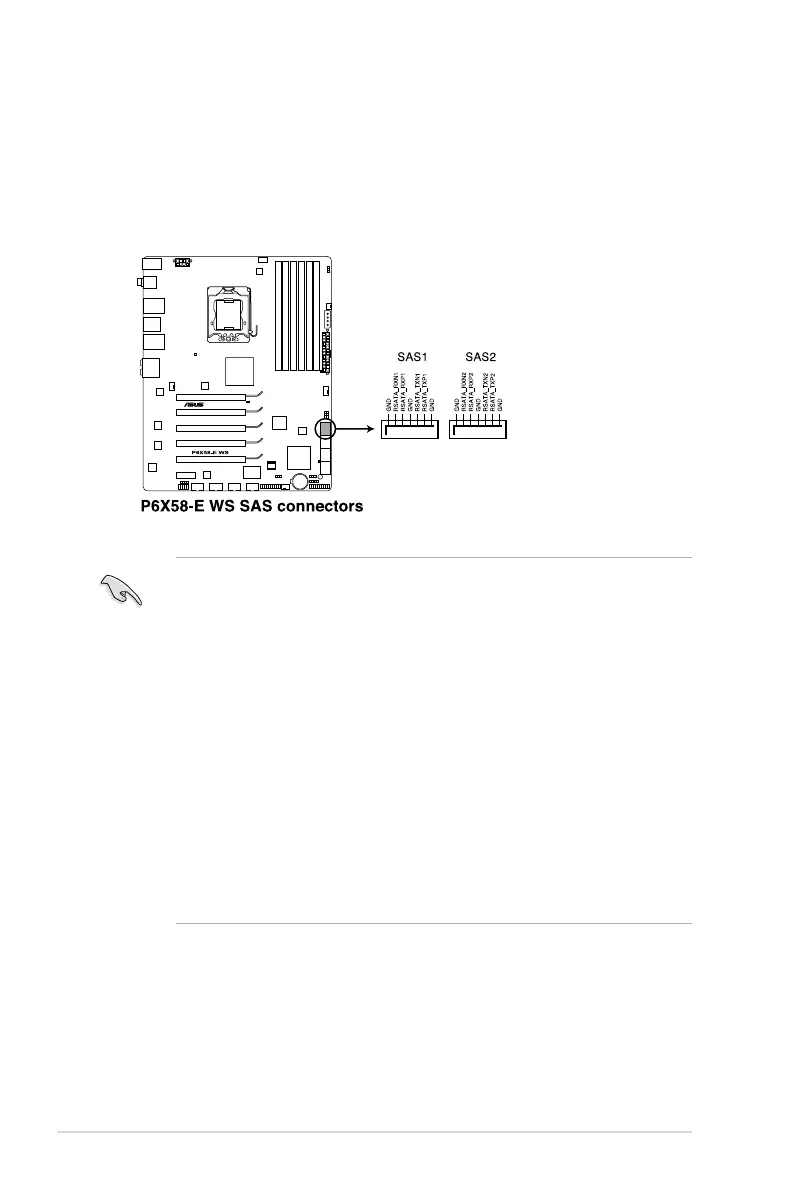
Serial ATA 6.0 Gb/s connectors (7-pin SATA6G_E1-2 [gray])
These connectors connect to Serial ATA 6.0 Gb/s hard disk drives via Serial
ATA 6.0 Gb/s signal cables.
• The SATA6G_E1/E2 (navy blue) connectors are for data drives only. ATAPI
device is not supported.
•
You must install Windows
®
XP Service Pack 3 or later versions before using
Serial ATA hard disk drives.
•
When using hot-plug and NCQ, set the
Marvell Storage Controller
item in the BIOS to [Enabled]. Refer to section
3.5.6 Onboard Devices
Conguration
for details.
• Press <Ctrl> + <M> during POST to enter the Marvell RAID utility to create
or delete a RAID conguration.
• If you want to install a Windows operating system to a RAID conguration
created using the Marvell SATA controller, you have to create a RAID driver
disk using the motherboard support DVD and load the driver during OS
installation. For 32/64bit Windows XP OS, load rst the
Marvell shared
library
driver, and then load
Marvell 91xx SATA Controller Driver
.
For Windows Vista / Windows 7 OS, load only the
Marvell 91xx SATA
Controller Driver
.
2-32 Chapter 2: Hardware information










 To Next Page