25
Safely removing the USB disk
IMPORTANT! Incorrect removal of the USB disk may cause data
corruption.
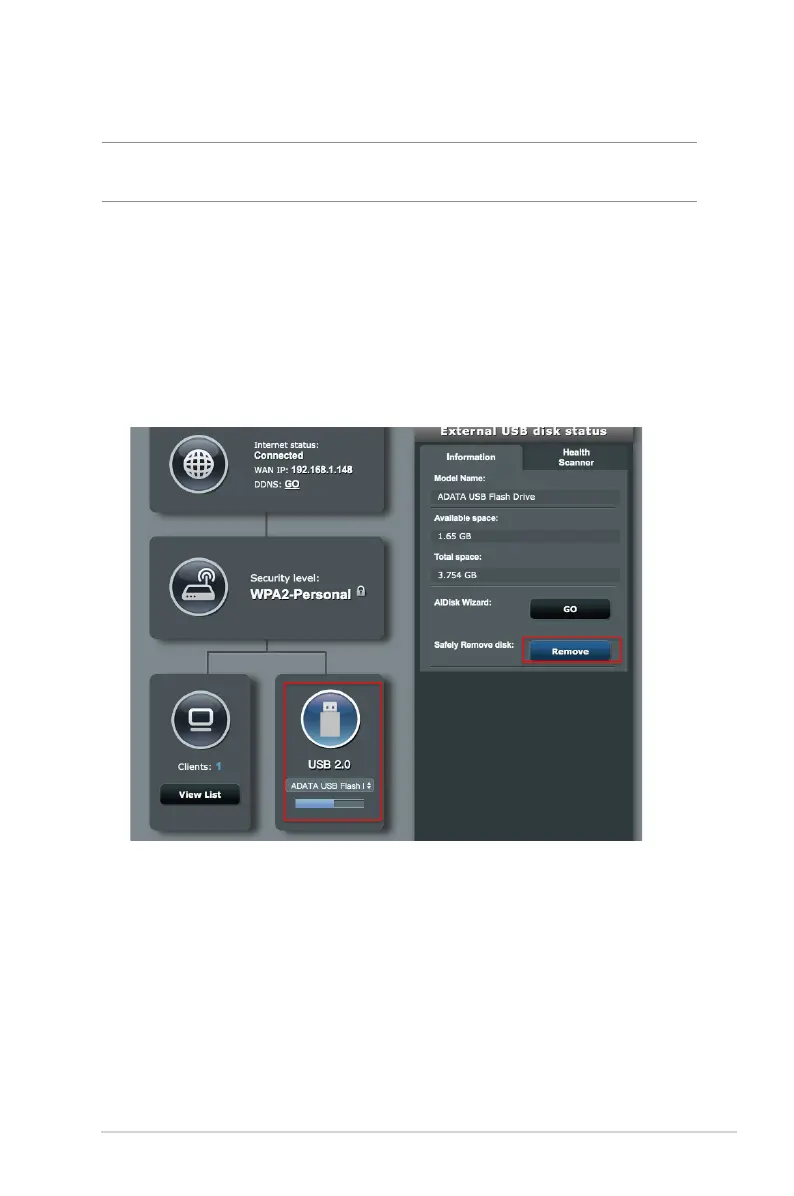
To safely remove the USB disk:
1. From the navigation panel, go to General > Network Map.
2. Go to Information tab, then in the Safely Remove disk eld,
click Remove. When the USB disk is ejected successfully, the
USB status shows Unmounted.


 To Next Page