36
3. From the list of folders, select the type of access permission
that you want to assign for specic folders:
• R/W: Select this option to assign read/write access.
• R: Select this option to assign read-only access.
• No: Select this option if you do not want to share a specic
le folder.
4. Click Apply to apply the changes.
4 Conguring the Advanced
Settings
4.1 Wireless
4.1.1 General
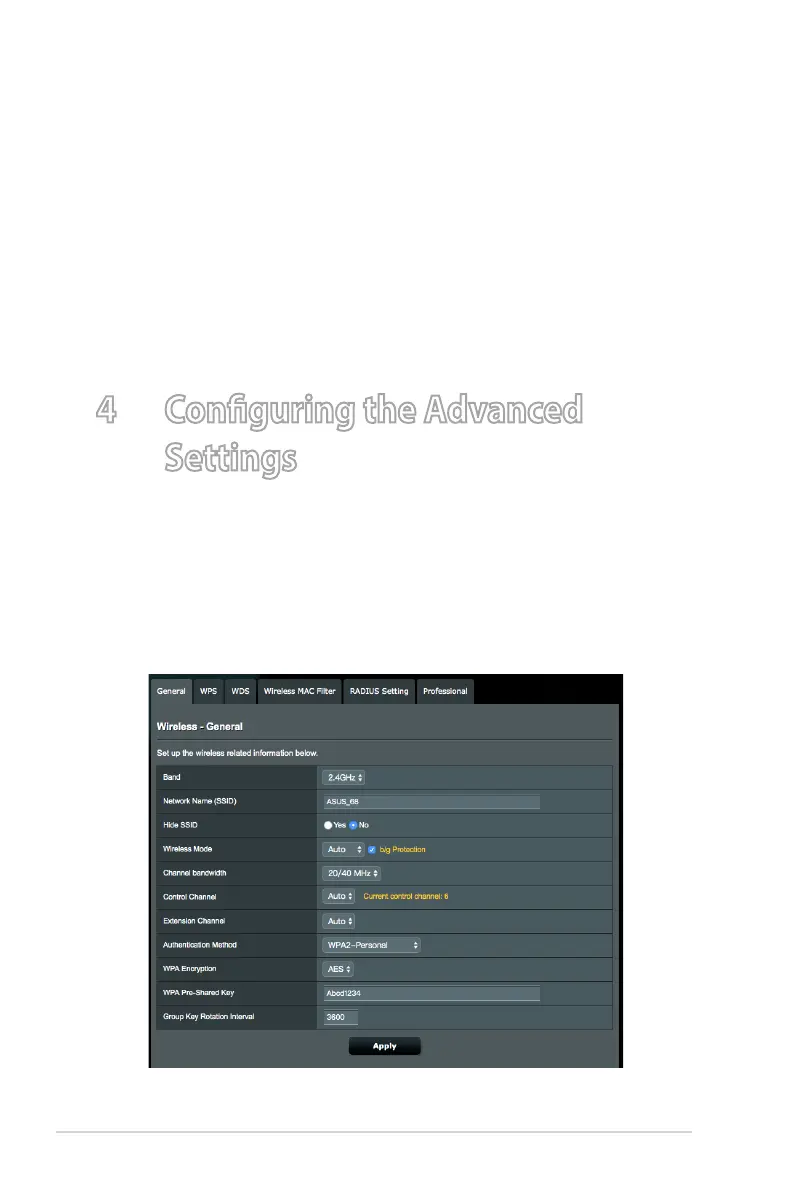
The General tab allows you to congure the basic wireless
settings.


 To Next Page