33
3.5 Using the USB Application
The USB Application function provides Servers Center.
IMPORTANT! To use the server functions, you need to insert a USB
storage device, such as a USB hard disk or USB ash drive, in the USB
2.0 port on the rear panel of your wireless router. Ensure that the USB
storage device is formatted and partitioned properly. Refer to the ASUS
website at http://event.asus.com/2009/networks/disksupport/ for the
le system support table.
3.5.1 Using Servers Center
Servers Center allows you to share the media les from the USB
disk via a Media Server directory or Samba share service. You
can also congure other settings for the USB disk in the Servers
Center.
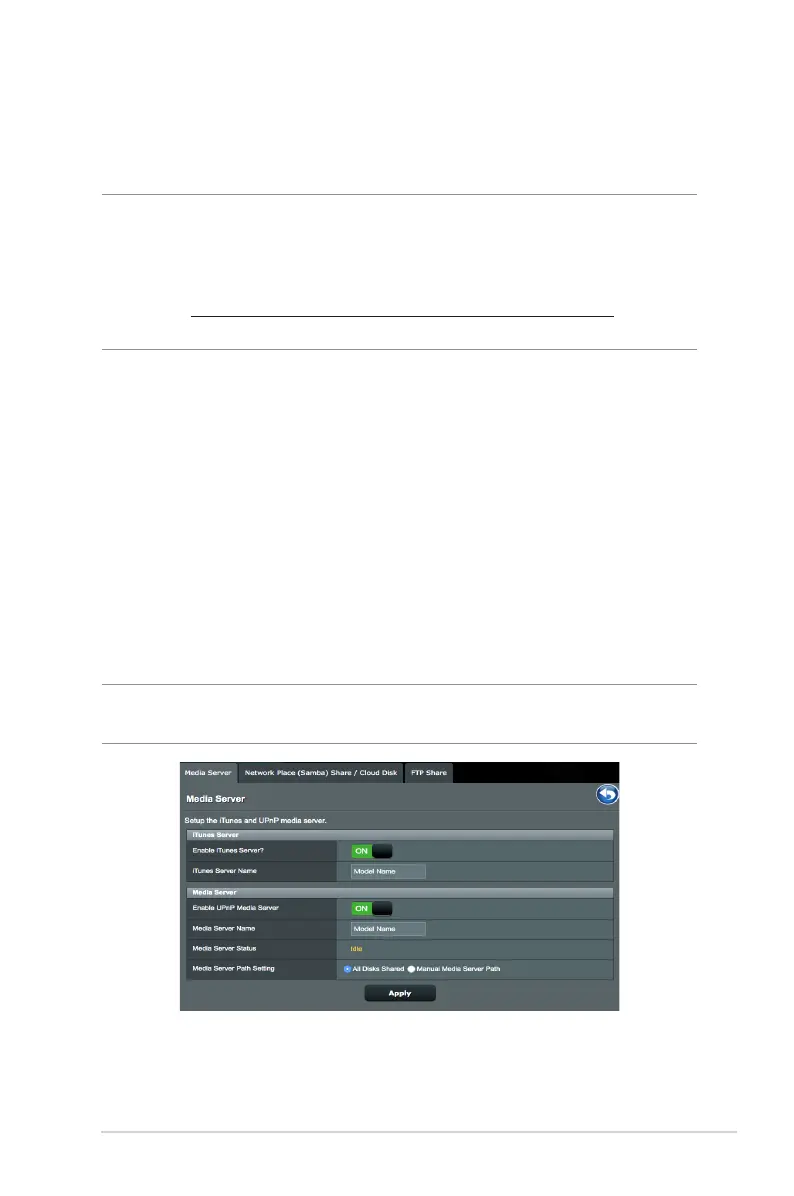
Using Media Server
Your wireless router allows DLNA-supported devices to access
multimedia les from the USB disk connected to your wireless
router.
NOTE: Before using the DLNA Media Server function, connect your
device to the RT-AC1300G PLUS’s network.


 To Next Page