43
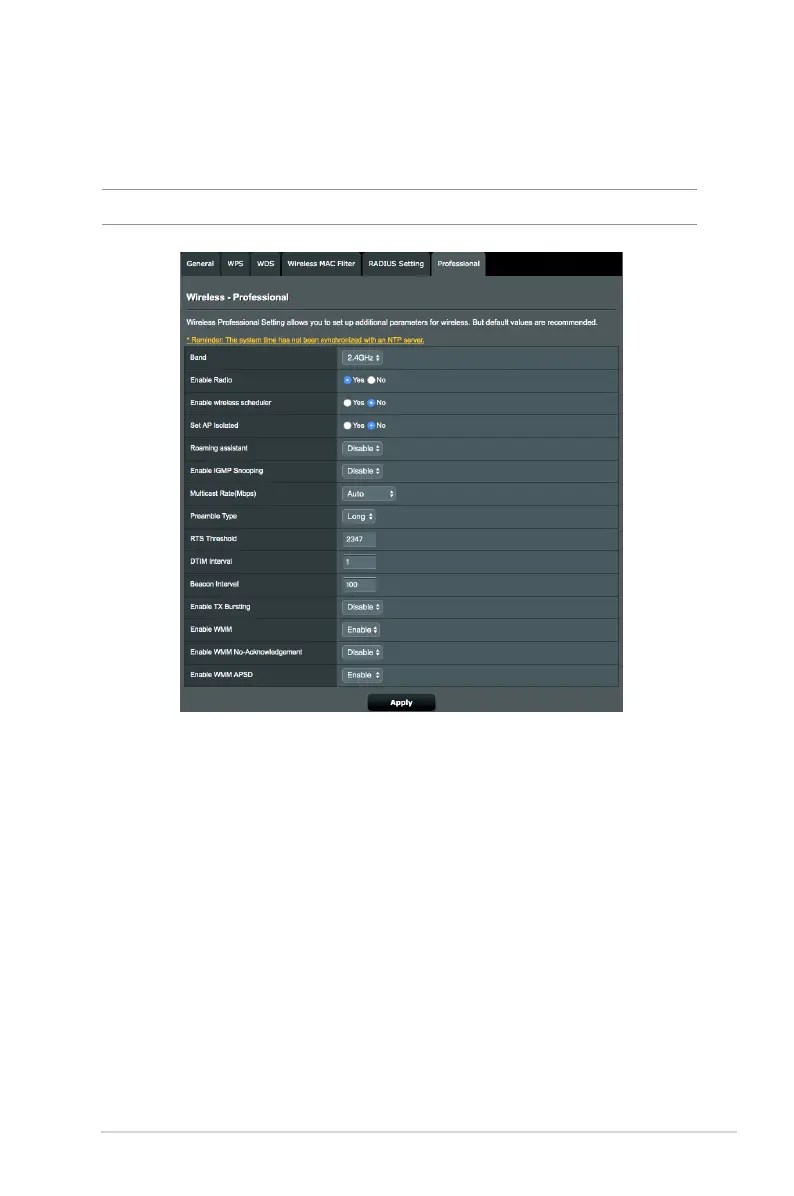
In the Professional Settings screen, you can congure the
following:
• Band: Select the frequency band that the professional
settings will be applied to.
• Enable Radio: Select Yes to enable wireless networking.
Select No to disable wireless networking.
• Enable Wireless Scheduler: You can set the time range
when wireless networking is enabled during the week.
• Set AP isolated: The Set AP isolated item prevents wireless
devices on your network from communicating with each
other. This feature is useful if many guests frequently join or
leave your network. Select Ye s to enable this feature or select
No to disable.
4.1.5 Professional
The Professional screen provides advanced conguration options.
NOTE: We recommend that you use the default values on this page.


 To Next Page