83
B. Set the TCP/IP settings to automatically obtain an IP
address.
Windows
®
7/8
1. Click Start > Control Panel
> Network and Internet
> Network and Sharing
Center > Manage network
connections.
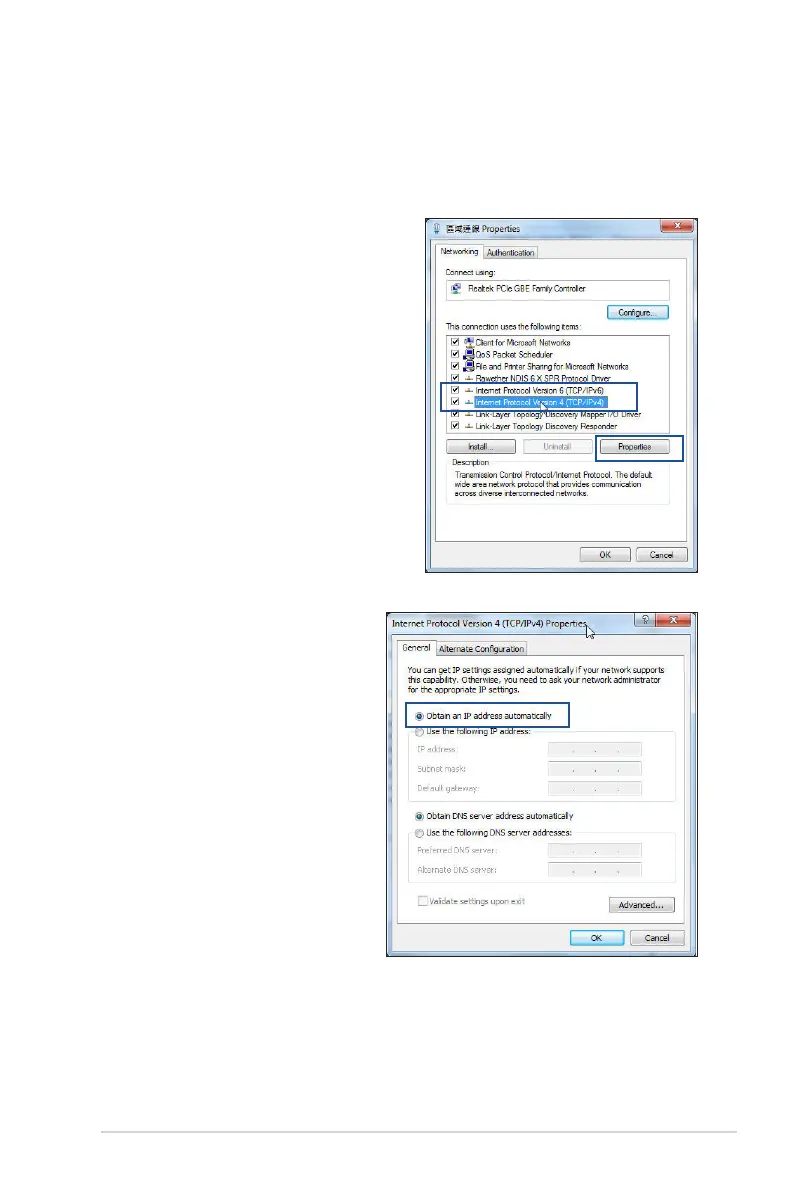
2. Select Internet Protocol
Version 4 (TCP/IPv4) or
Internet Protocol Version
6 (TCP/IPv6), then click
Properties.
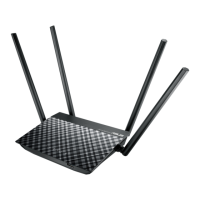
3. To obtain the IPv4 IP
settings automatically,
tick Obtain an IP address
automatically.
To obtain the IPv6 IP
settings automatically, tick
Obtain an IPv6 address
automatically.
4. Click OK when done.


 To Next Page