115
Check if your Ethernet cables are plugged properly.
• WhentheEthernetcableconnectingtherouterwiththe
modem is plugged in properly, the WAN LED will be on.
• WhentheEthernetcableconnectingyourpowered-on
computer with the router is plugged in properly, the
corresponding LAN LED will be on.
Check if the wireless setting on your computer matches that
of your computer.
• Whenyouconnectyourcomputertotherouterwirelessly,
ensure that the SSID (wireless network name), encryption
mehtod, and password are correct.
Check if your network settings are correct.
• EachclientonthenetworkshouldhaveavalidIPaddress.
ASUS recommends that you use the wireless router’s DHCP
server to assign IP addresses to computers on your network.
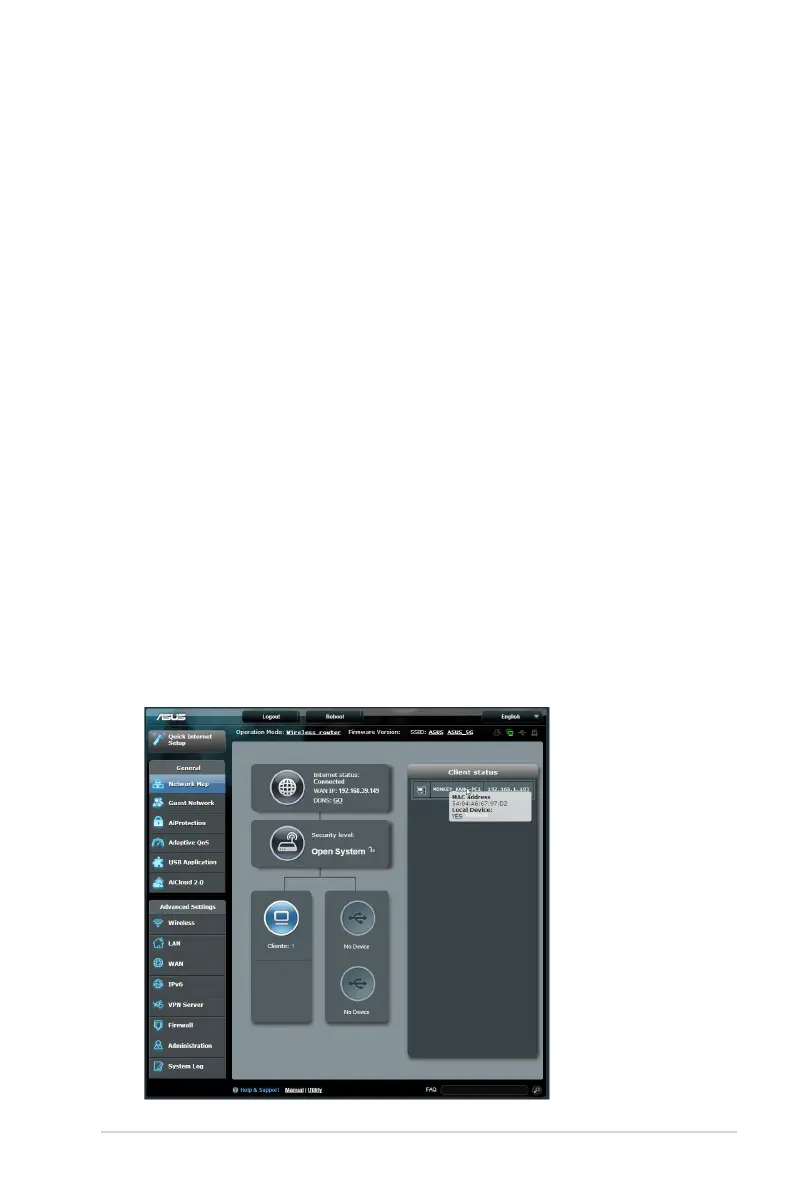
• Somecablemodemserviceprovidersrequireyoutouse
the MAC address of the computer initially registered on
the account. You can view the MAC address in the web GUI,
Network Map > Clients page, and hover the mouse pointer
over your device in Client Status.


 To Next Page