44
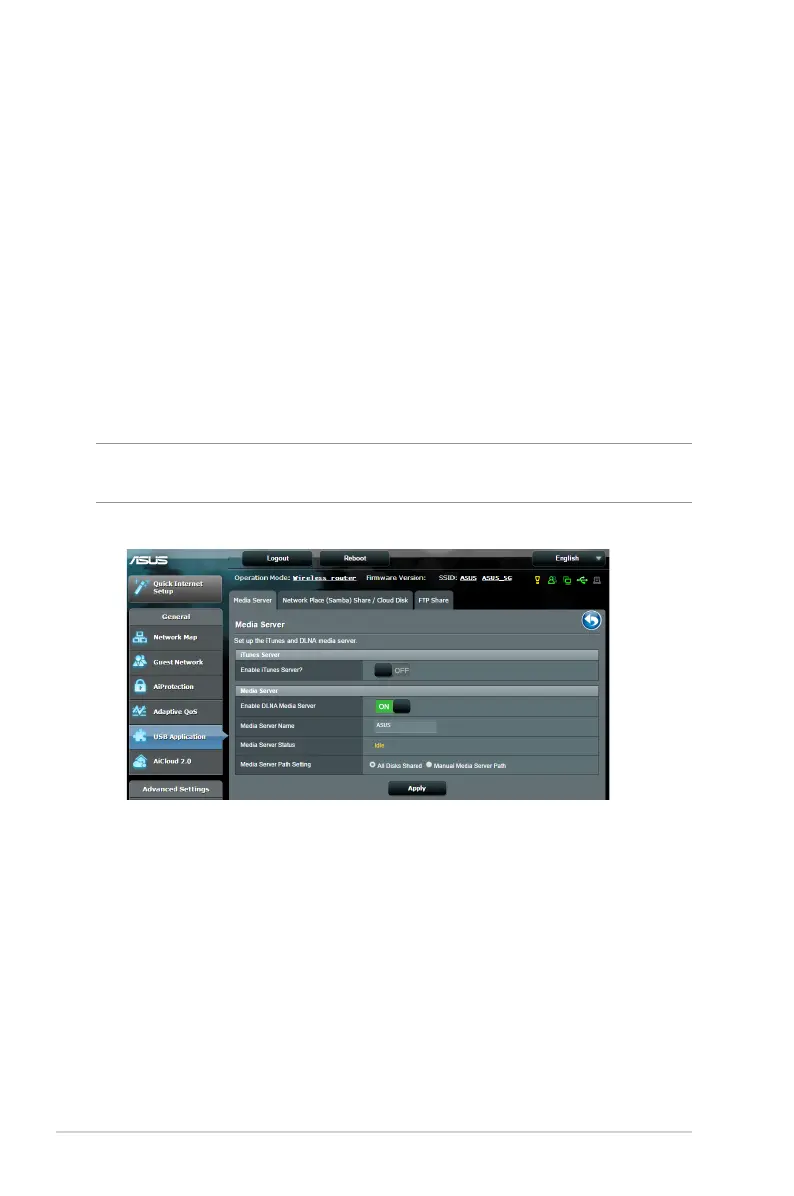
3.5.2 Using Servers Center
Servers Center allows you to share the media files from the USB
disk via a Media Server directory, Samba share service, or FTP
share service. You can also configure other settings for the USB
disk in the Servers Center.
Using Media Server
Your wireless router allows DLNA-supported devices to access
multimedia files from the USB disk connected to your wireless
router.
NOTE: Before using the DLNA Media Server function, connect your
device to the RT-AC5300’s network.


 To Next Page