97
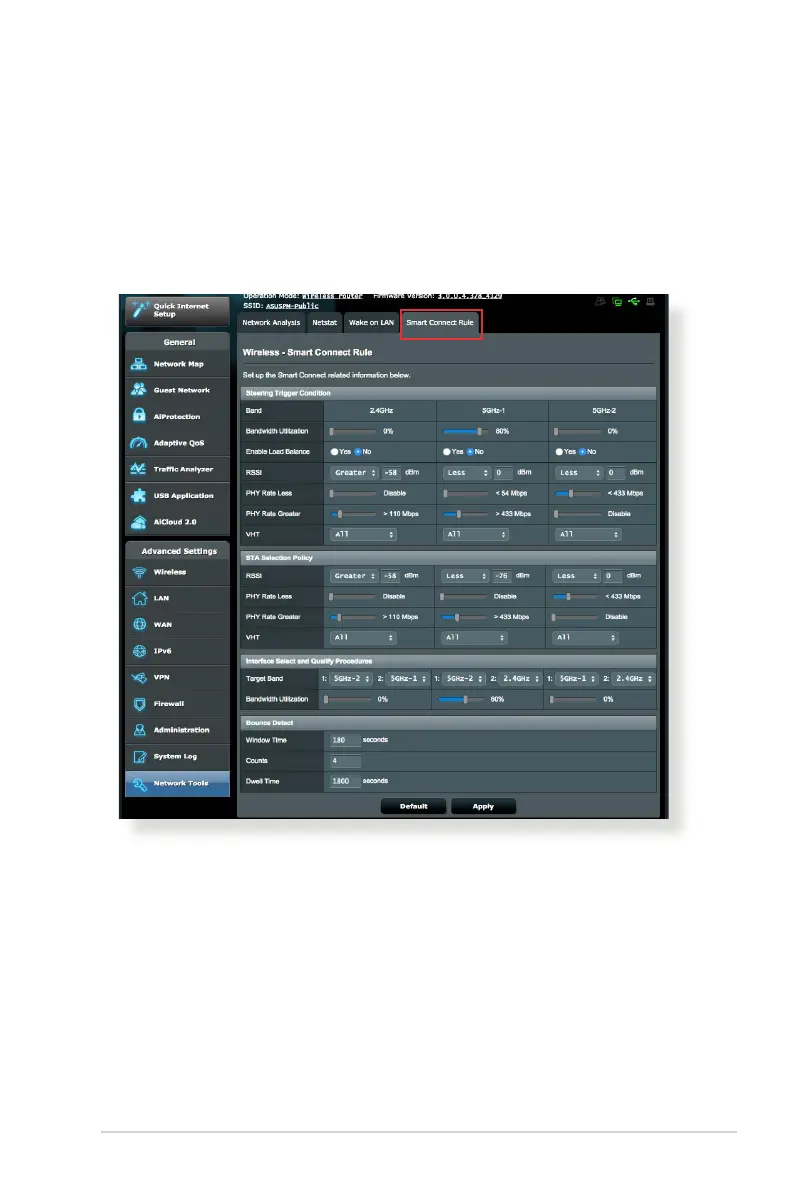
4.9.2 Smart Connect Rule
ASUSWRT provides default condition settings to trigger switching
mechanism. You can also change the trigger conditions according
to your networking surroundings. To change the settings, go to
the Smart Connect Rule tab on the Network Tools screen.
Smart Connect Rule controls are divided into four sections:
• SteeringTriggerCondition
• STASelectionPolicy
• InterfaceSelectandQualifyProcedures
• BounceDetect


 To Next Page