95
• Via the Network Map screen
1. Follow the first two steps in the above section to log into the
Web GUI.
2. From the navigation panel, go to General > Network Map.
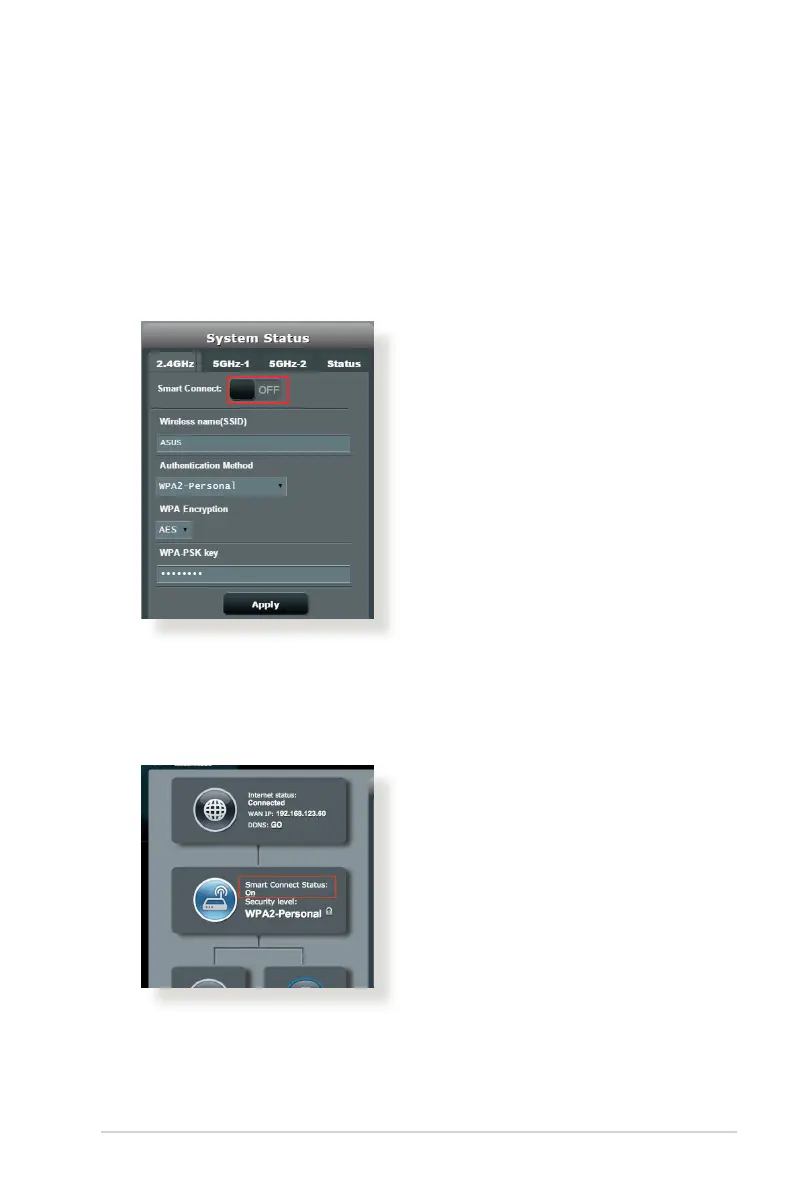
3. OntheNetworkMapscreenandunderSystem status, move
the slider to ON in the Smart Connect field.
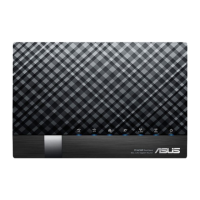
After Smart Connect is enabled, you can check Smart Connect
status on the Network Map screen. If you want to change more
wireless configurations, click On/Off to go to the settings page.


 To Next Page