44
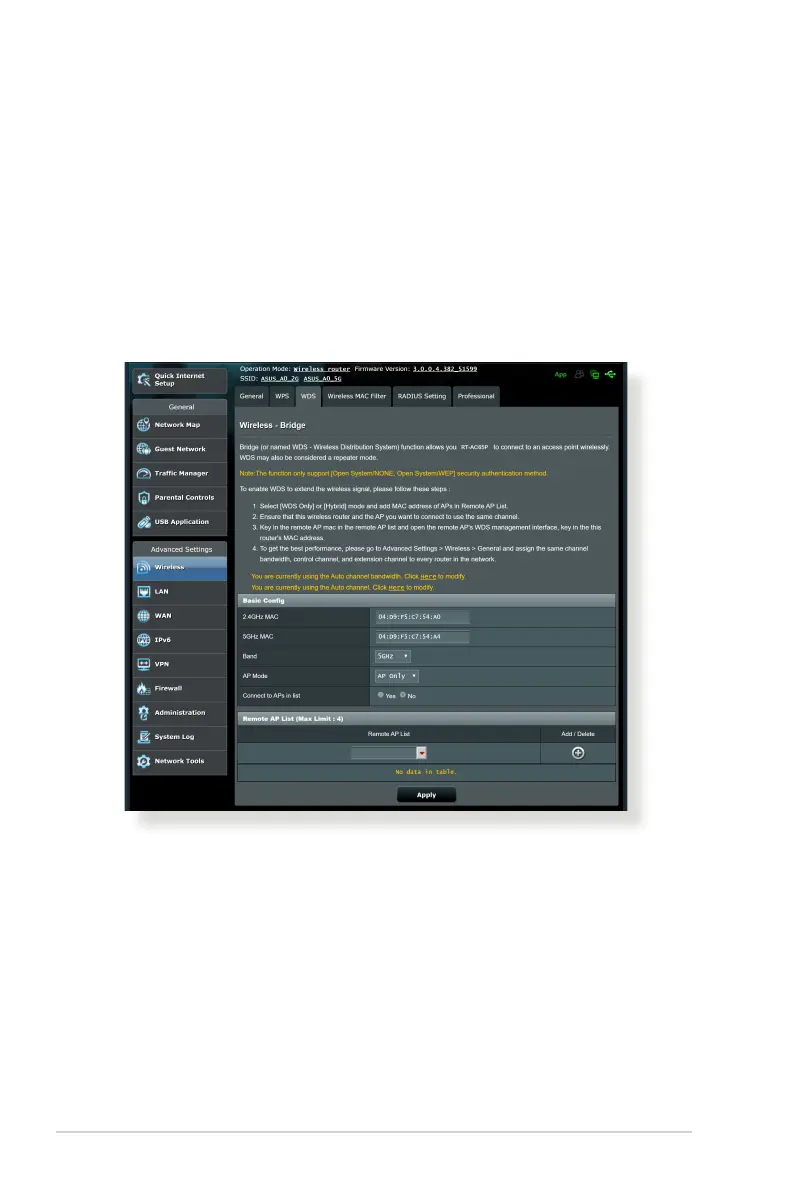
4.1.3 WDS
WDS (Wireless Distribution System) allows your ASUS wireless
router to connect to another wireless access point exclusively,
preventing other wireless devices or stations to access your ASUS
wireless router. It can also be considered as a wireless repeater
where your ASUS wireless router communicates with another
access point and other wireless devices.
To set up WDS:
1. From the navigation panel, go to Advanced Settings >
Wireless > WDS tab.
2. Select the frequency band for the wireless bridge.
3. In the AP Mode eld, select any of these options:
• AP Only: Disables the Wireless Bridge function.
• WDS Only: Enables the Wireless Bridge feature but prevents
other wireless devices/stations from connecting to the
router.



 To Next Page