12
1.6 Router Setup
1.6.1 Wired connection
IMPORTANT!
• Use a wired connection when setting up your wireless router to
avoid possible setup problems.
• Before setting up your ASUS wireless router, do the following:
• If you are replacing an existing router, disconnect it from your
network.
• Disconnect the cables/wires from your existing modem setup. If
your modem has a backup battery, remove it as well.
• Reboot your cable modem and computer (recommended).
NOTE: You can use either a straight-through cable or a crossover cable
for wired connection.
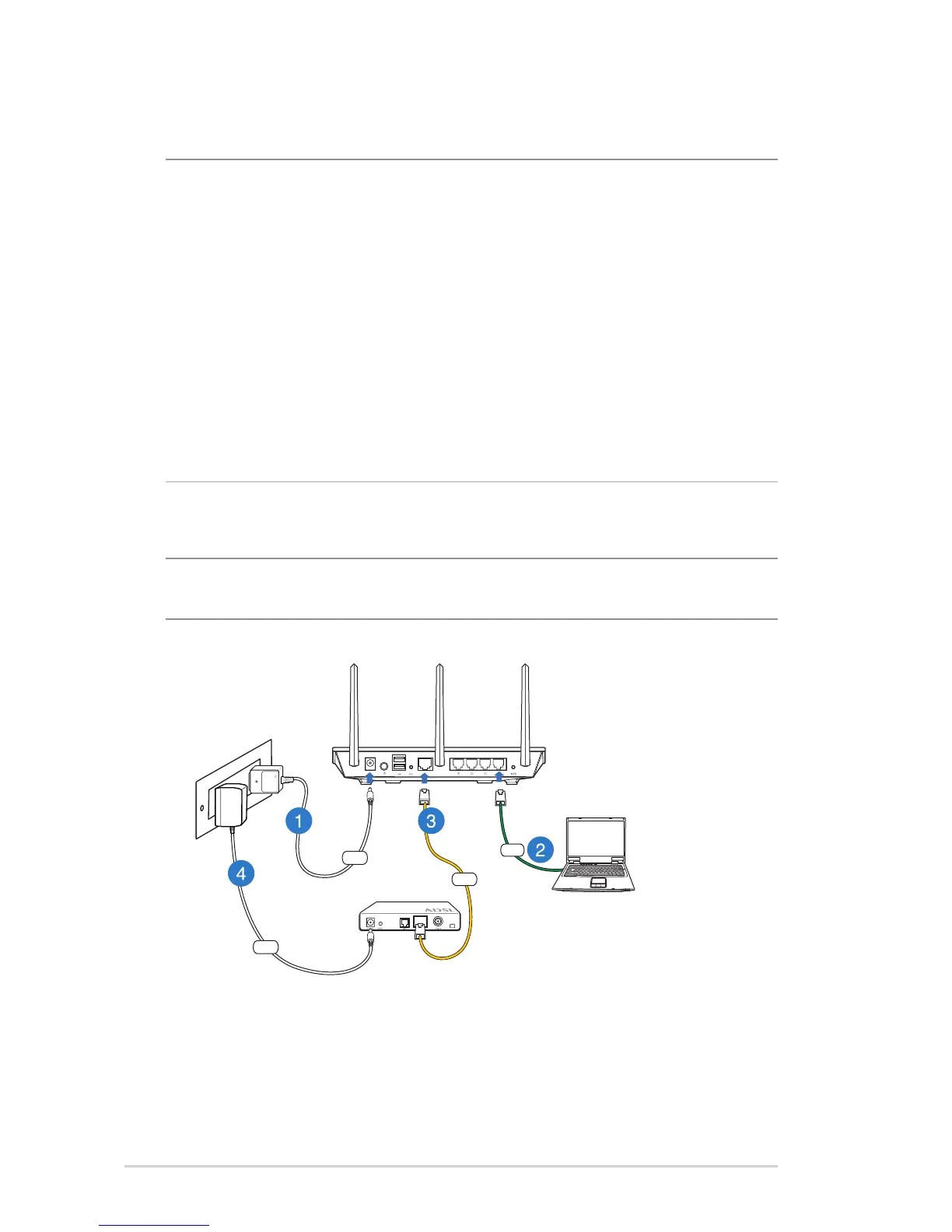
To set up your wireless router via wired connection:
1. Insert your wireless router’s AC adapter to the DC-IN port and
plug it to a power outlet.



 To Next Page