26
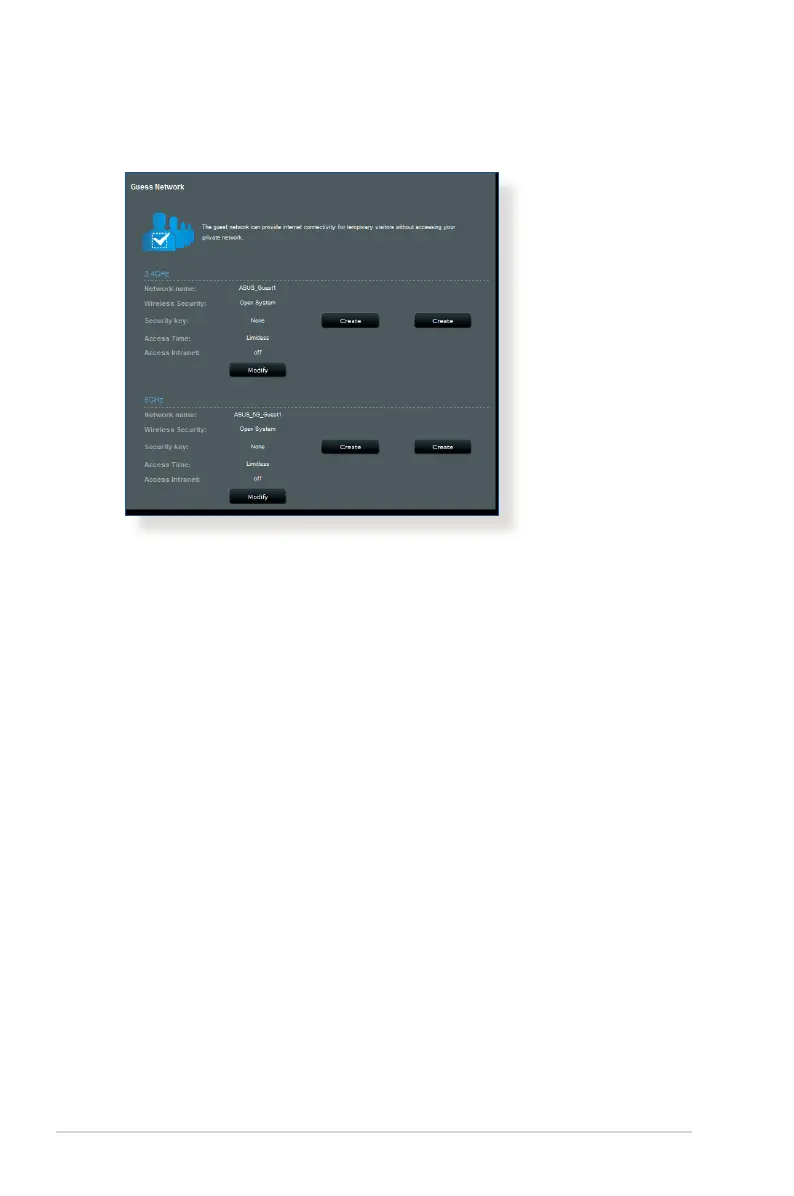
4. To congure additional options, click Modify.
5. Click Yes on the Enable Guest Network screen.
6. Assign a wireless name for your temporary network on the
Network Name (SSID) eld.
7. Select an Authentication Method.
8. Select an Encryption method.
9. Specify the Access time or choose Limitless.
10. Select Disable or Enable on the Access Intranet item.
11. When done, click Apply.



 To Next Page