82
5.3 Setting up your printer server
5.3.1 ASUS EZ Printer Sharing
ASUS EZ Printing Sharing utility allows you to connect a USB
printer to your wireless router’s USB port and set up the print
server. This allows your network clients to print and scan les
wirelessly.
NOTE: The print server function is supported on Windows® XP,
Windows® Vista, and Windows® 7.
To set up the EZ Printer sharing mode:
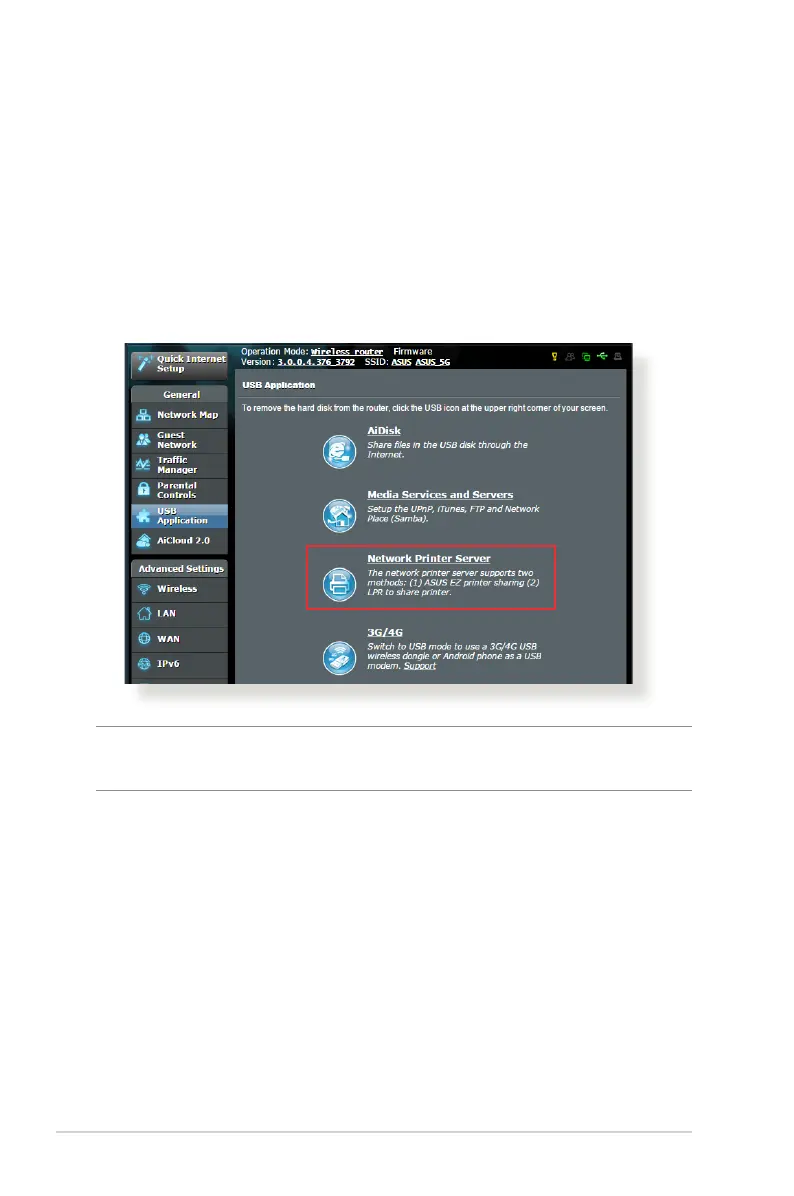
1. From the navigation panel, go to General > USB Application >
Network Printer Server.
2. Click Download Now! to download the network printer utility.



 To Next Page