99
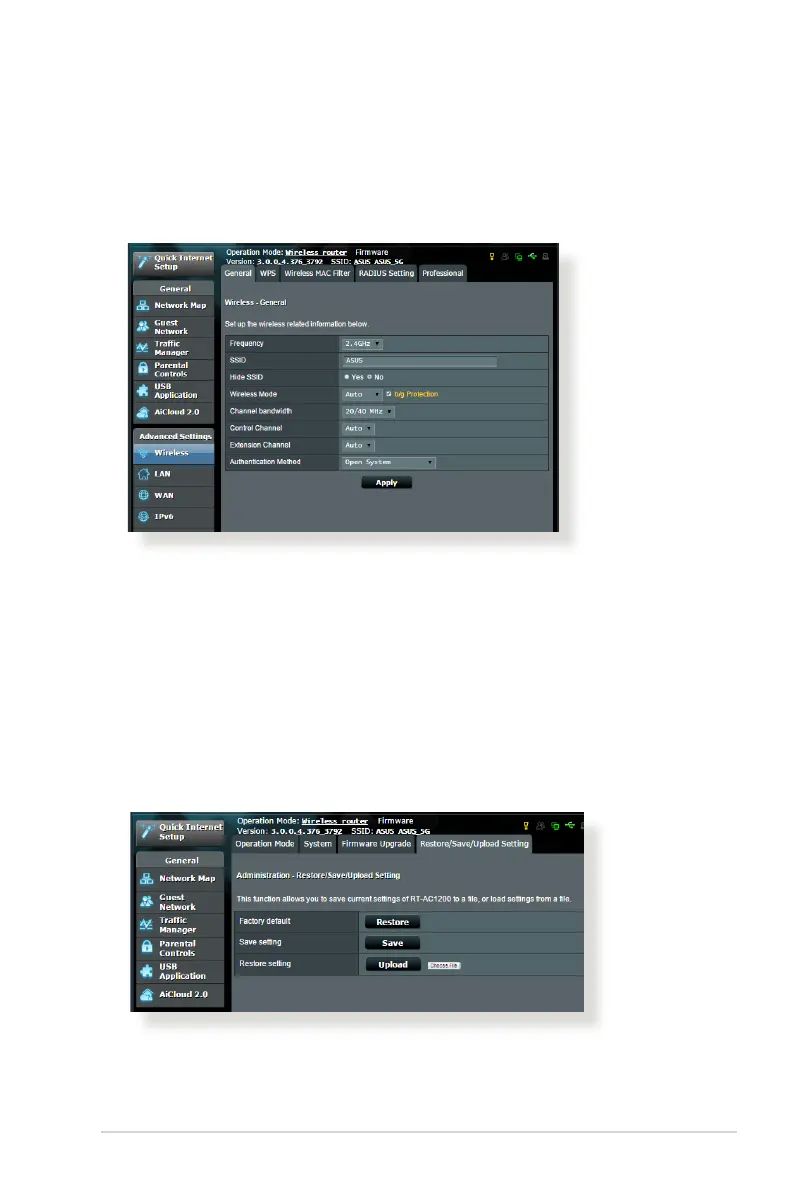
• SSIDhasbeenhidden.IfyourdevicecanndSSIDsfromother
routers but cannot nd your router’s SSID, go to Advanced
Settings > Wireless > General, select No on Hide SSID, and
select Auto on Control Channel.
• IfyouareusingawirelessLANadapter,checkifthewireless
channel in use conforms to the channels available in your
country/area. If not, adjust the channel, channel bandwidth,
and wireless mode.
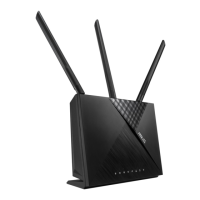
• Ifyoustillcannotconnecttotherouterwirelessly,youcanreset
your router to factory default settings. In the router GUI, click
Administration > Restore/Save/Upload Setting and click
Restore.



 To Next Page