73
3.16.2 Dual WAN
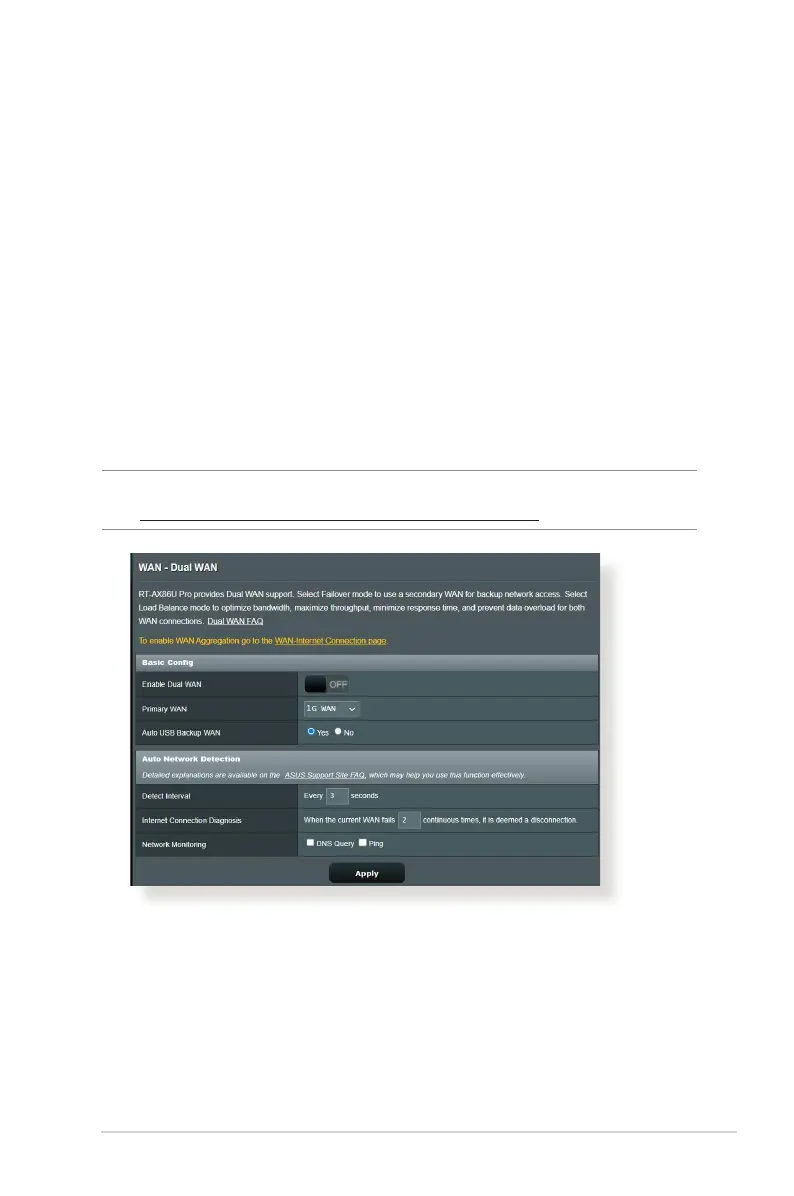
The Dual WAN allows you to select two ISP connections to your
router, a primary WAN and a secondary WAN.
To congure Dual WAN:
1. From the navigation panel, go to Advanced Settings > WAN.
2. Go to Dual WAN eld, turn ON.
3. Choose your Primary WAN and Secondary WAN. There are
WAN, USB, Ethernet LAN and 2.5G WAN for your options.
4. Choose Fail Over or Load Balance.
5. Click Apply.
NOTE: Detailed explanations are available on the ASUS Support Site
FAQ https://www.asus.com/support/FAQ/1011719


 To Next Page