16
2.2 Quick Internet Setup (QIS) with Auto-
detection
The Quick Internet Setup (QIS) function guides you in quickly
setting up your Internet connection.
NOTE: When setting the Internet connection for the first time, press
the Reset button on your wireless router to reset it to its factory default
settings.
To use QIS with auto-detection:
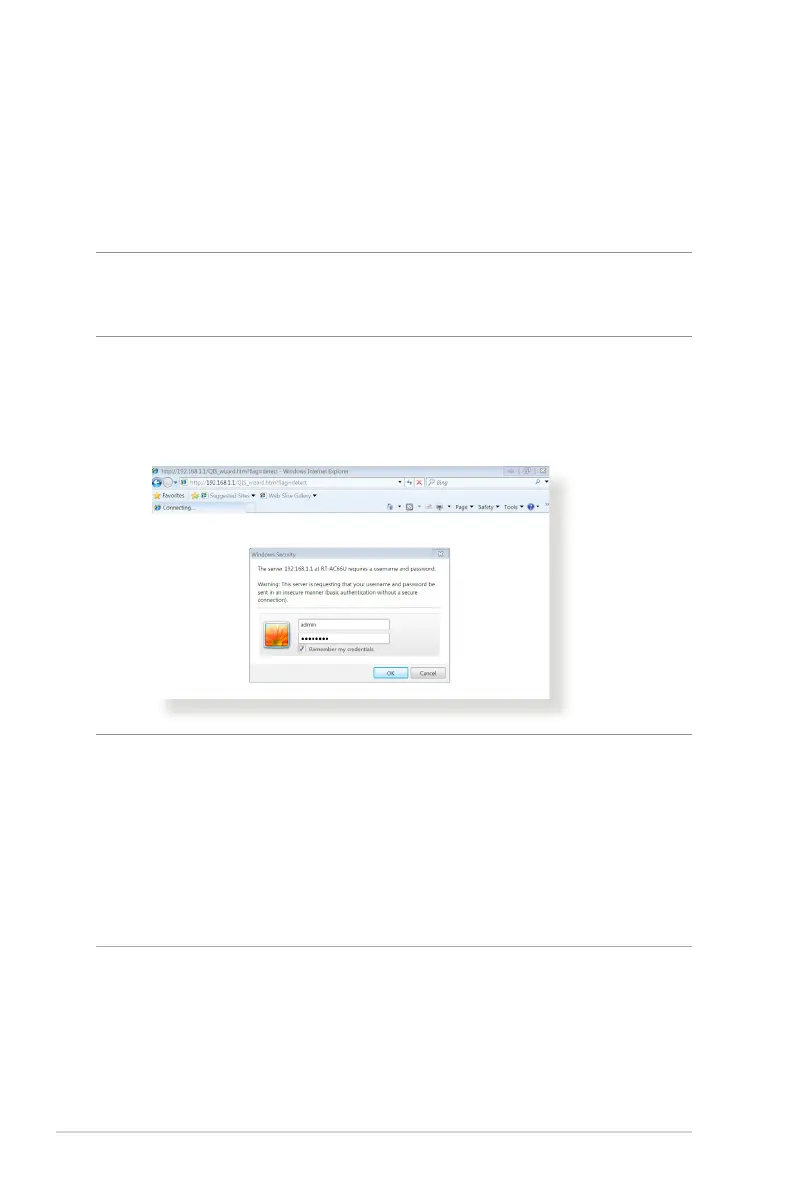
1. Log into the Web GUI. The QIS page launches automatically.
NOTES:
• Bydefault,theloginusernameandpasswordforyourwireless
router's Web GUI is admin. For details on changing your wireless
router's login username and password, refer to section 4.7.2 System.
• Thewirelessrouter'sloginusernameandpasswordallowsyouto
log into your wireless router's Web GUI to configure your wireless
router's settings.



 To Next Page