31
4 Configuring the Advanced
Settings
4.1 Wireless
4.1.1 General
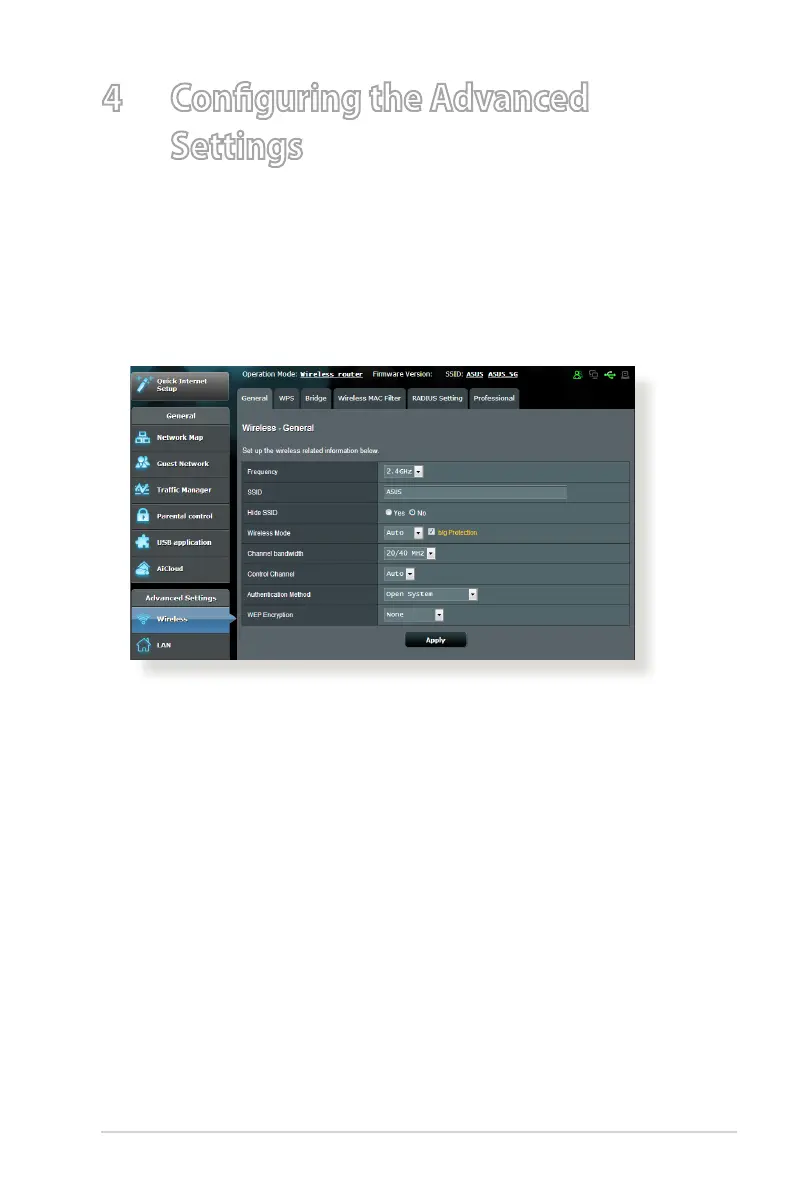
The General tab allows you to configure the basic wireless
settings.
To configure the basic wireless settings:
1. From the navigation panel, go to Advanced Settings >
Wireless > General tab.
2. Assign a unique name containing up to 32 characters for your
SSID (Service Set Identifier) or network name to identify your
wireless network. Wi-Fi devices can identify and connect to
the wireless network via your assigned SSID. The SSIDs on the
information banner are updated once new SSIDs are saved to
the settings.



 To Next Page