47
4.3 WAN
4.3.1 Internet Connection
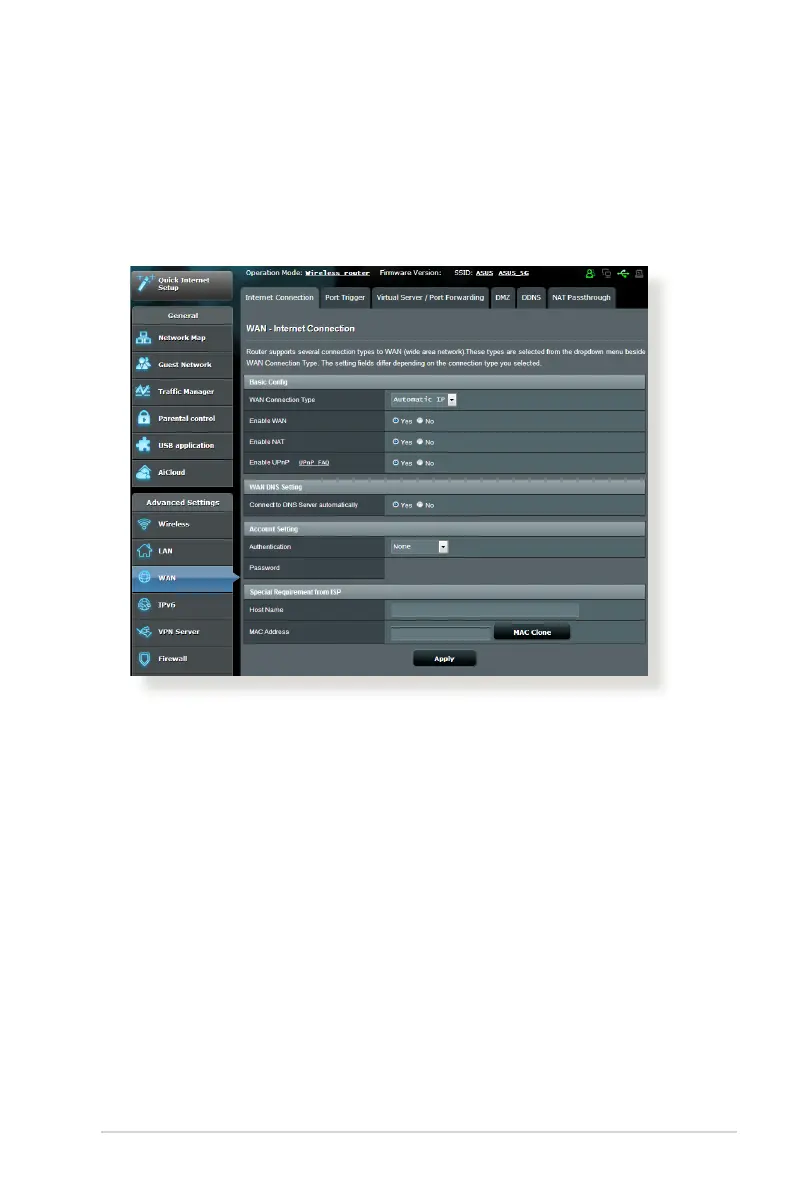
The Internet Connection screen allows you to configure the
settings of various WAN connection types.
To configure the WAN connection settings:
1. From the navigation panel, go to Advanced Settings > WAN >
Internet Connection tab.
2. Configure the following settings below. When done, click
Apply.
• WAN Connection Type: Choose your Internet Service Provider
type. The choices are Automatic IP, PPPoE, PPTP, L2TP or
fixed IP. Consult your ISP if the router is unable to obtain a
valid IP address or if you are unsure the WAN connection type.
• Enable WAN: Select Yes to allow the router Internet access.
Select No to disable Internet access.



 To Next Page