18
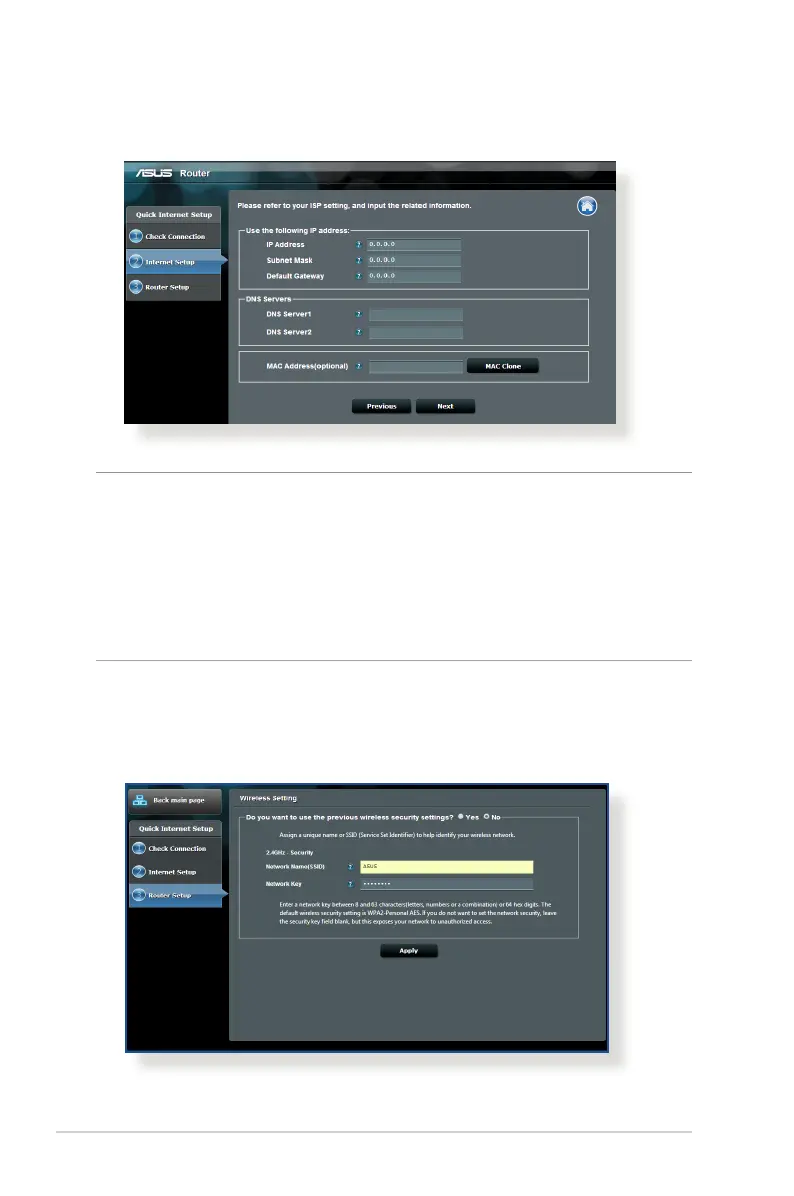
for Static IP
NOTES:
• Theauto-detectionofyourISPconnectiontypetakesplacewhen
you configure the wireless router for the first time or when your
wireless router is reset to its default settings.
• IfQISfailedtodetectyourInternetconnectiontype,clickSkip to
manual setting and manually configure your connection settings.
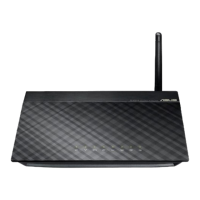
3. Assign the wireless network name (SSID) and security key for
your 2.4GHz wireless connection. Click Apply when done.



 To Next Page