EasyManua.ls Logo

Asus S370 - User Manual

Asus S370
2 pages
Print Icon
To Next Page IconTo Next Page
Loading...
ASUS S370 Series
Users Guide 1
R
S370 Series CPU Cards
E399
The optional ASUS S370 Series CPU Cards allow Slot 1 motherboards to accept
socket 370 processors. The ASUS S370 Series CPU Cards give Slot 1 motherboard
owners an inexpensive way to upgrade their Pentium II computers using lower cost-
ing socket 370 processors. Since socket 370 processors are based on the Pentium II
design, the only difference is the connector and the amount of internal cache within
the processor.
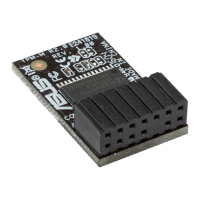
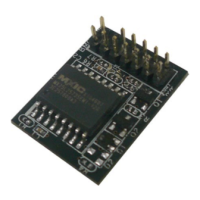
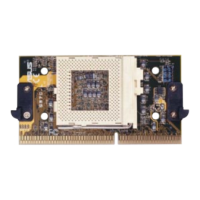
The following are pictures of the ASUS S370 Series CPU Cards with black plastic
retainers attached to the edge. The retainer fins are used to hold the ASUS S370
Series CPU Cards in place using the motherboard’s Slot 1 retention mechanisms.
ACCESSORIES
S370 Series CPU Cards
ASUS S370-D CPU Card (performance model)
• Better Support with Full Retainer
• CPU Temperature Sensing
(on supported motherboards)
• Better Components
ASUS S370-L CPU Card (for smaller cases)
• Low Profile / Low Cost
• CPU Temperature Sensing
(on supported motherboards)
ASUS S370 CPU Card (standard model)
• Better Support with Full Retainer
• Low Cost
Slot 1 Compatible Connector
Socket 370
CPU Voltage Jumpers
Retainer Fin
Retainer
Question and Answer IconNeed help?

Do you have a question about the Asus S370 and is the answer not in the manual?

Summary

ASUS S370 Series CPU Cards Overview

ASUS S370 CPU Card (Standard Model)

Details the standard ASUS S370 CPU Card, noting its full retainer and low cost advantages.

ASUS S370-L CPU Card (Smaller Cases)

Presents the low-profile ASUS S370-L CPU Card, suitable for smaller cases, with temperature sensing capabilities.

ASUS S370-D CPU Card (Performance Model)

Describes the ASUS S370-D CPU Card as a performance model featuring a full retainer, temperature sensing, and enhanced components.

Installing and Using ASUS S370 Series CPU Cards

ASUS S370 Series CPU Card Jumper Settings

Provides detailed diagrams and explanations for setting CPU voltage using jumpers on the S370 Series CPU Cards.

Summary

ASUS S370 Series CPU Cards Overview

ASUS S370 CPU Card (Standard Model)

Details the standard ASUS S370 CPU Card, noting its full retainer and low cost advantages.

ASUS S370-L CPU Card (Smaller Cases)

Presents the low-profile ASUS S370-L CPU Card, suitable for smaller cases, with temperature sensing capabilities.

ASUS S370-D CPU Card (Performance Model)

Describes the ASUS S370-D CPU Card as a performance model featuring a full retainer, temperature sensing, and enhanced components.

Installing and Using ASUS S370 Series CPU Cards

ASUS S370 Series CPU Card Jumper Settings

Provides detailed diagrams and explanations for setting CPU voltage using jumpers on the S370 Series CPU Cards.

Asus S370 Specifications

General IconGeneral
CategoryComputer Hardware
ChipsetIntel 440BX / Intel 810 / VIA Apollo Pro 133 (depending on the specific model)
Form FactorATX / MicroATX (depending on the specific model)
StorageNot specified on the motherboard itself (depends on connected drives)
DisplayNot specified on the motherboard itself (depends on connected graphics card)
GraphicsAGP or Integrated (depending on the chipset and model)
Operating SystemNot specified on the motherboard itself (depends on installed OS)
PortsPS/2 keyboard, PS/2 mouse, Serial, Parallel, USB (1.1), Audio jacks
WirelessNot integrated (requires add-in card)

Related product manuals