98
Adding or deleting timer settings
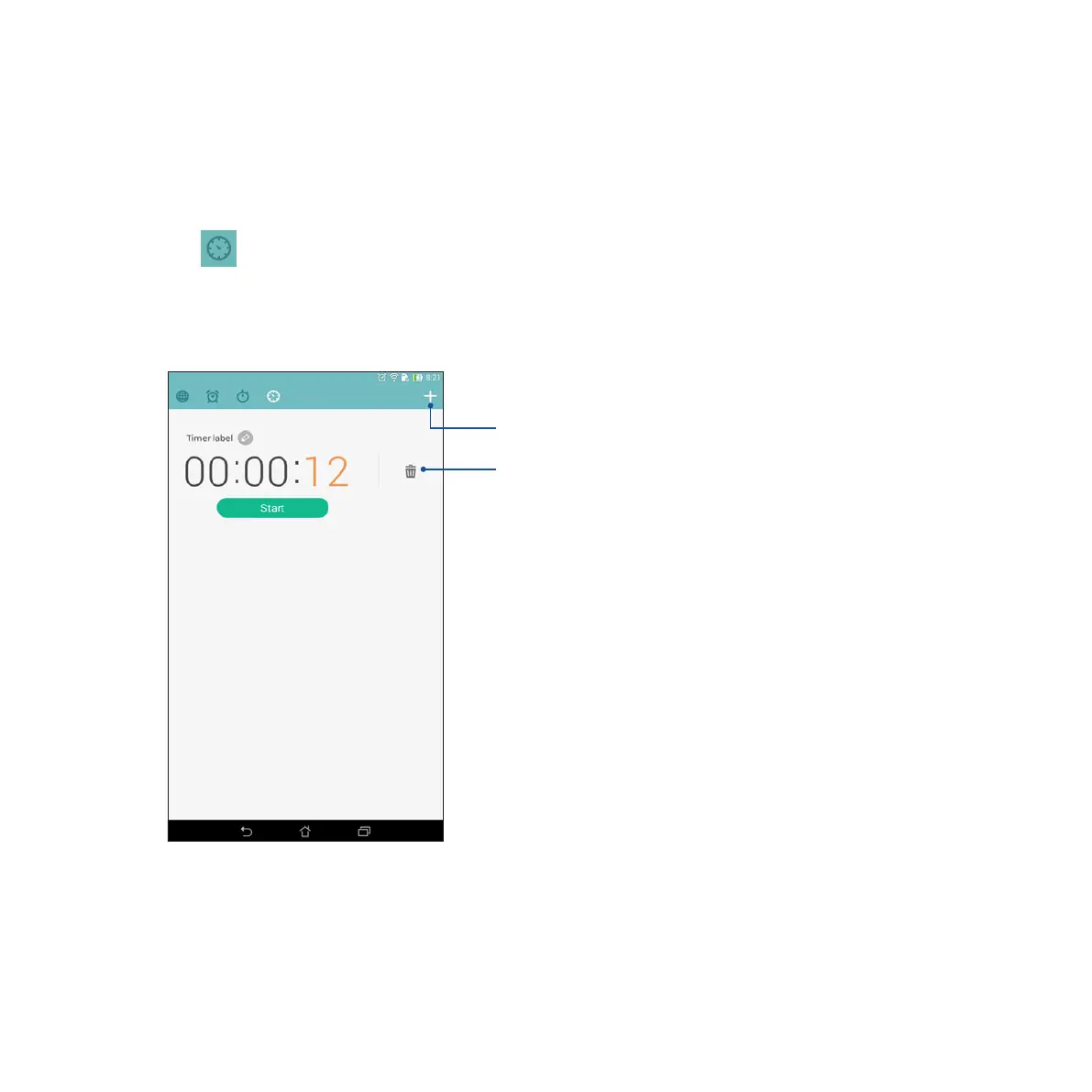
You may also add new timer settings or delete existing ones that you no longer need. To do any of these
options, refer to the following steps:
1. Tap to access the timer feature of your ASUS Tablet.
2. If you previously created a timer setting, these would appear on your Timer home screen. You may delete
or add new timer settings using the icons on your Timer home screen.
Tap this to delete the previously set
timer.
Tap this to create a new timer setting.














 To Next Page