46
Notebook PC User Manual
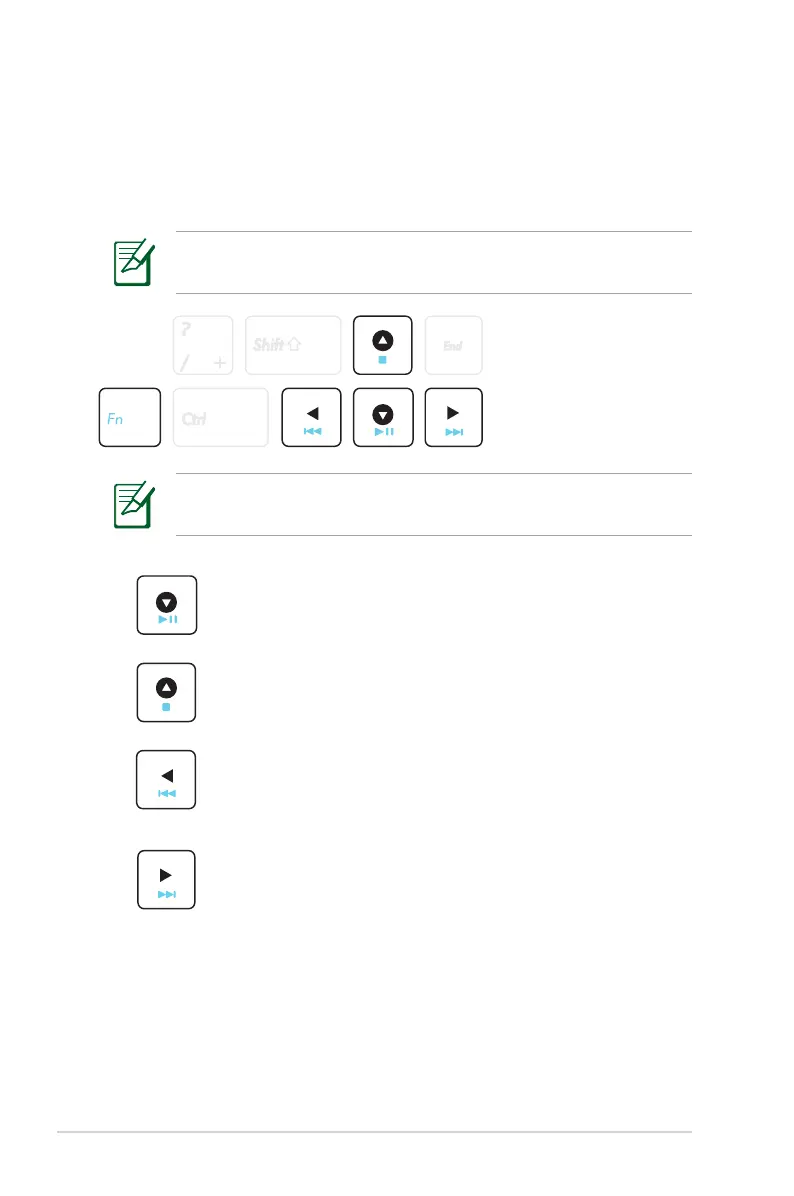
Multimedia Control Keys
The multimedia control keys allows for convenient controlling of the
multimedia application. The following defines the meaning of each
multimedia control key on the Notebook PC.
Use the [Fn] key in combination with the arrow keys for CD
control functions.
Some control key functions may defer depending on Notebook
PC model.
Play/Pause (↓)
Begins or pauses media file playback.
Stop (↑)
Stops media file playback.
Back (←)
During media file playback, goes back to the previous
song / movie chapter.
Forward (
→
)
During media file playback, skips to the next song /
movie chapter.


 To Next Page