Notebook PC User Manual
47
Switches
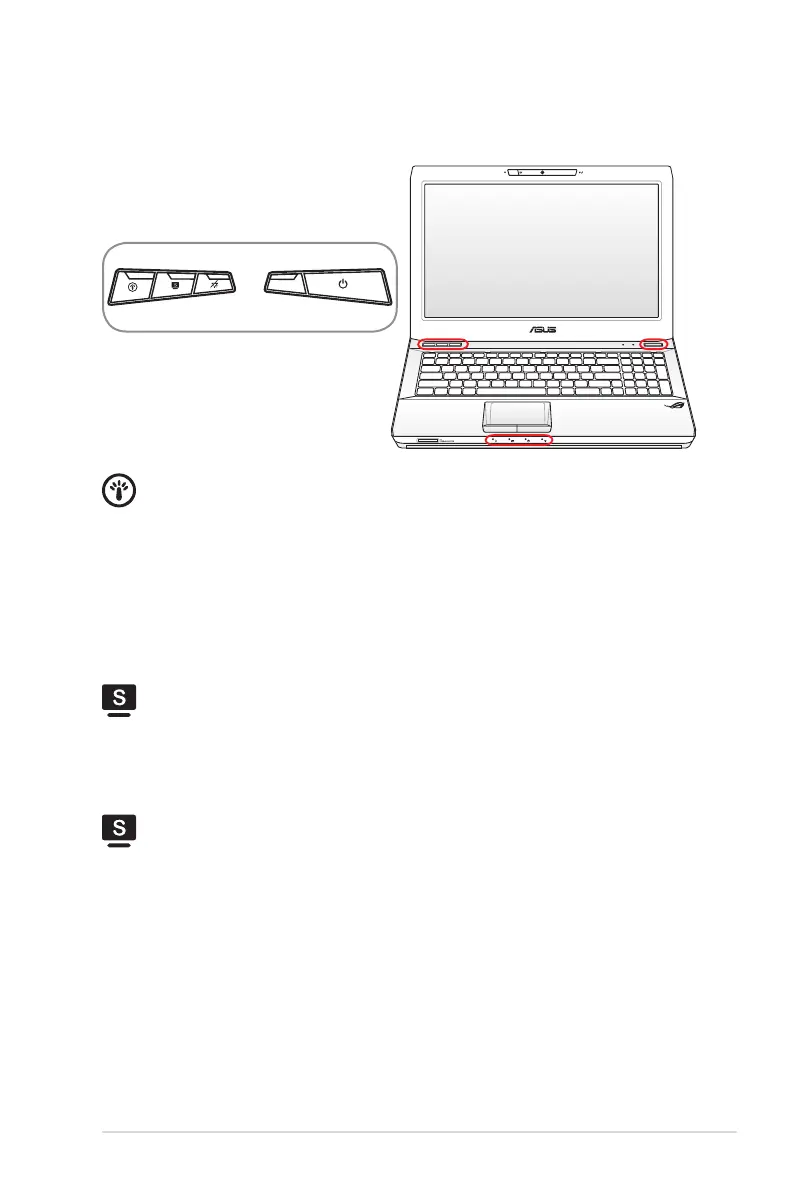
Switches and Status Indicators
Power4Gear Key
The key toggles power savings between various power saving
modes. The power saving modes control many aspects of the
Notebook PC to maximize performance versus battery time.
Applying or removing the power adapter will automatically
switch the system between AC mode and battery mode. The
selected mode is shown on the display.
3D Mode Switch Key (on 3D models)
Toggles to activate the 3D mode function and again to switch
back to 2D mode. This function is only available when playing a
3D video game or watching a 3D movie.
Splendid Key (on non-3D models)
Toggles “Splendid Video Intelligent Technology” function ON
and OFF. This allows switching between different display color
enhancement modes in order to improve contrast, brightness,
skin tone, and color saturation for red, green, and blue
independently. The selected mode is shown on the display.


 To Next Page