A-14
Notebook PC User Manual
Recover Windows to entire HD with two partitions.
This option deletes all partitions from your hard drive and creates two
new partitions “C” (40%) and “D” (60%).
6. Follow the onscreen instructions to complete the recovery
process.
Visit the ASUS website at www.asus.com for updated drivers and
utilities.
Using Recovery DVD (on selected models)
Lock the secondary hard disk drive:
For models installed two hard disk drives, you have to lock the
secondary hard disk drive before performing system recovery with
recovery DVD.
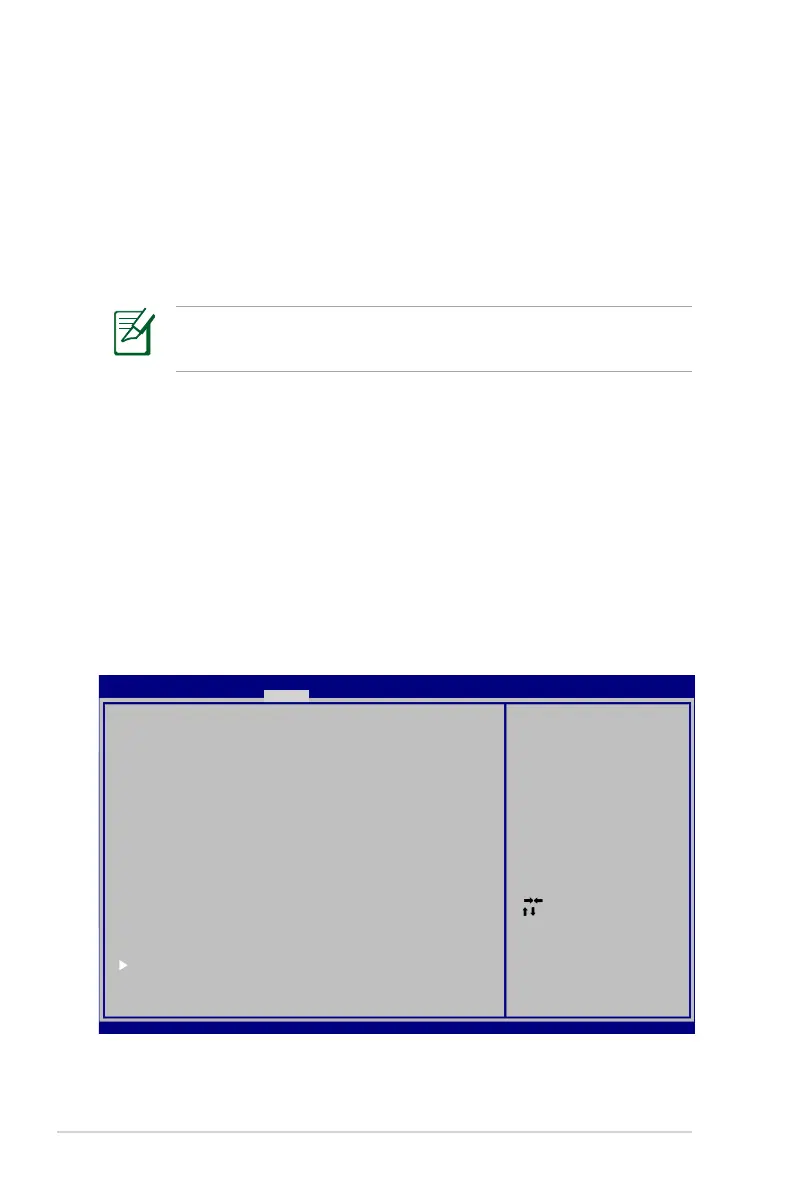
1. Press [F2] on bootup to enter BIOS setup.
2. On the Security screen, select I/O Interface Security and press
[Enter].
: Se le ct S creen
: Se le ct I te m
Ent er : Se le ct
+/— : Ch an ge O pt .
F1: G eneral H el p
F2: P revi ou s Va lu es
F9: O ptimiz ed D ef au lt s
F10 : Sa ve ES C: Exit
Ver si on 2 .0 0.1201 . Co py ri gh t (C) 20 09 A me ri ca n Me ga tr en ds , In c.
Apt io S et up U ti lity - C op yr ig ht (C) 2 00 9 Am er ic an Meg at re nd s, I nc .
M ai n Adva nc ed B oo tMai n A dv anced B oo t S ecur it y S av e & Ex it
Pa ss wo rd Descr ip ti on
If O NL Y th e Ad mi ni st ra to r’ s pass wo rd i s se t,
th en t hi s only l im it s ac cess t o Se tu p an d is
on ly a sk ed for w he n en te ring Set up .
If O NL Y th e us er ’s p as sw or d is s et , th en t his
is a p ow er on pa ss wo rd a nd mus t be e nt er ed to
bo ot o r enter Se tu p. I n Se tup, t he U se r wi ll
ha ve A dm inistr at or r ig ht s.
A dm in is trator P as sw or d NOT I NS TA LL ED
U se r Pa ssword S ta tu s NOT I NS TA LL ED
S et up a dminis tr at or p as sword
U se r Pa ssword
H DD P as sw ord St at us : NOT I NS TA LL ED
S et M as ter Pa ss wo rd
S et U se r Pass wo rd
I/ O In te rf ace Se cu ri ty
Set t he s ys tem bo ot o rd er .


 To Next Page