Notebook PC User Manual
55
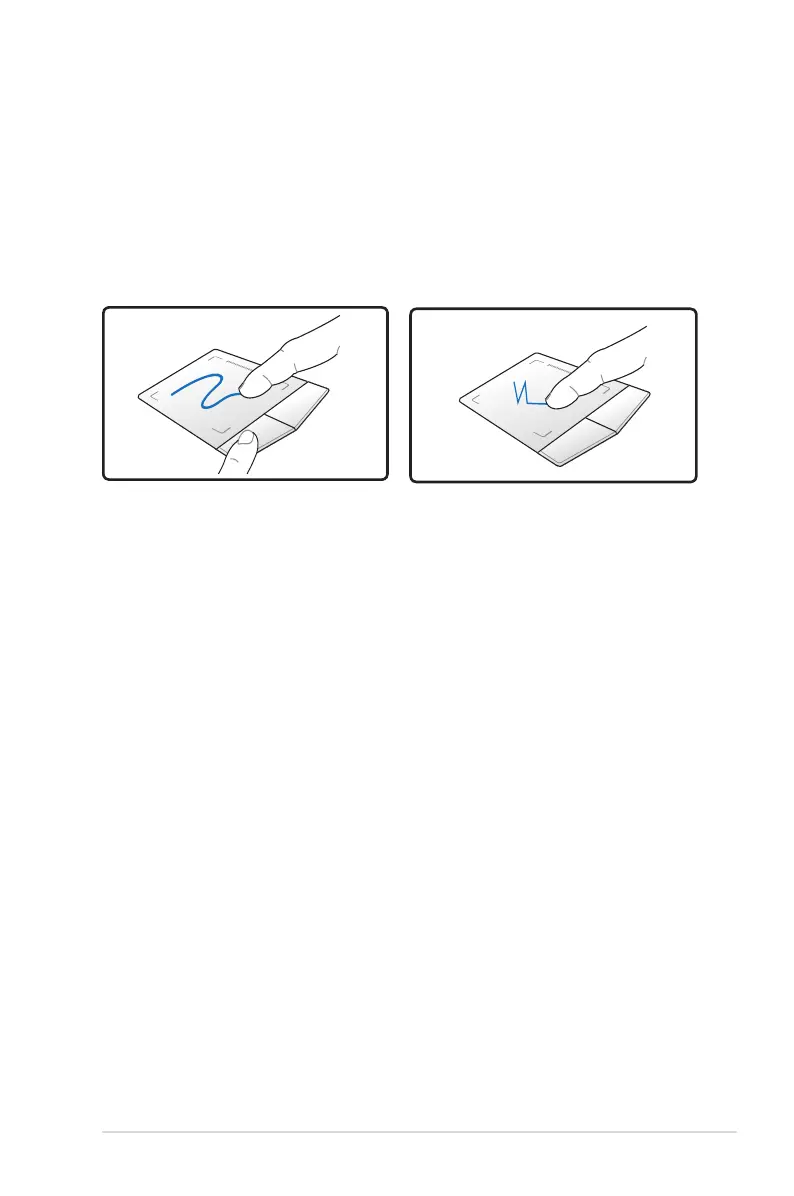
Dragging - Dragging refers to moving an item to another location.
Move your finger over an item, while simultaneously pressing the left
button, move the item to your desired location, then release the left
button. You can also double-tap and hold the item while dragging it
with your finger. The following illustrations produce the same results.
Hold left button and slide
finger on touchpad.
Lightly strike the touchpad
twice, sliding finger on
touchpad during second
strike.
Dragging-Clicking
Dragging-Tapping


 To Next Page