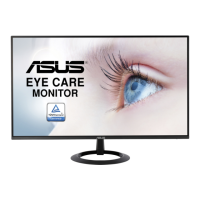
Need help?
Do you have a question about the Asus VZ279HE and is the answer not in the manual?
FCC compliance statement for device operation and interference.
Explanation of symbols and terms used in the user guide.
Official ASUS website for product and software updates.
Greeting and overview of the ASUS LCD monitor.
List of items included in the monitor package.
Step-by-step instructions for assembling the monitor stand.
Guide to connecting various cables to the monitor's ports.
Overview of the monitor's introduction and controls.
How to navigate and reconfigure the On-Screen Display (OSD) menu.
Introduction to OSD functions like Splendid, Blue Light Filter, and Color.
Technical specifications for the ASUS VZ279 series monitors.
Common problems and their solutions for the monitor.
List of supported display resolutions, refresh rates, and frequencies.
 General
| Color | black |
|---|---|
| Screen Type | led |
| Tiltable | yes |
| OS Compatibility | windows |
| Screen Size | 27 inches |
| Panel Type | ips |
| Aspect Ratio | 16:9 |
| Resolution | 1920 x 1080 |
| Native Resolution | 1920 x 1080 |
| Refresh Rate | 60hz |
| Horizontal Viewing Angle | 178 degrees |
| Vertical Viewing Angle | 178 degrees |
| Response Time | 5 milliseconds |
| Brightness | 250 candela per square meter |
| Contrast Ratio | 80, 000, 000:1 |
| Horizontal Scan Rate | 83 kilohertz |
| VGA Ports | 1 |
| Power Consumption | 18.38 watts |
| Width with Stand | 24.4 inches |
| Depth without Stand | 8.3 inches |
| Height without Stand | 17.3 inches |
| Net Weight without Stand | 8.6 pounds |

 To Next Page