Need help?
Do you have a question about the Asus VZ279QG1R and is the answer not in the manual?
Device complies with FCC Part 15 rules.
Device complies with Canadian ICES-003 standards.
Brief welcome message upon purchasing the monitor.
Lists all items included in the monitor package.
Step-by-step guide on how to attach the monitor base.
Instructions for connecting cables and identification of rear ports.
General introduction to monitor features and control button functions.
Describes the QuickFit feature for alignment aids.
Guide on how to adjust the monitor's viewing angle.
Instructions for removing the monitor stand for wall mounting.
Guide to accessing and configuring OSD settings like Splendid, Color, Image, and Input Select.
Configuration of monitor settings including GamePlus, ECO mode, OSD, and reset.
Assigning functions to the monitor's shortcut keys.
Comprehensive explanation of the GamePlus toolkit for gaming enhancements.
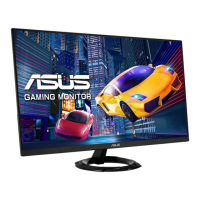
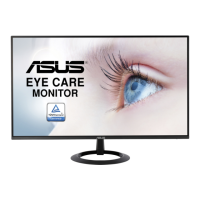
The ASUS VZ2791R Series LCD Monitor is a widescreen display designed to provide a crisp, broader, and brighter viewing experience with a host of enhancing features. This user guide outlines its setup, operation, and maintenance.
The monitor serves as a visual output device for computers, offering a range of features to optimize image quality and user comfort. It supports various input sources, including HDMI and DisplayPort, making it compatible with a wide array of devices. The monitor incorporates ASUS's SPLENDID™ Video Intelligence Technology, which offers eight preset video modes (Standard, sRGB, Scenery, Theater, Game, Night View, Reading, and Darkroom) to suit different content types and ambient lighting conditions. Each mode has a "Reset" option to revert to preset settings.
A key feature is the Blue Light Filter, designed to reduce the energy level of blue light emitted from the LED backlight, thereby alleviating eye strain during prolonged use. It offers four levels of blue light reduction, with Level 4 being optimized for TUV Low Blue Light Certification. The monitor also includes "QuickFit" functionality, providing on-screen overlays for grid patterns, paper sizes (B5, Letter), and photo sizes (8x10, 5x7, 4x6, 3x5, 2x2), which are useful for designers, photographers, and users who need to view and edit documents or photos in real size.
For gamers, the "GamePlus" function provides a toolkit with features like a crosshair overlay (6 options), an on-screen timer, an FPS (frames per second) counter, and display alignment lines for multi-monitor setups. The monitor also supports FreeSync technology, which, when enabled, provides a dynamic refresh rate range from 48Hz to 75Hz, eliminating screen tearing and reducing stuttering. When FreeSync is off, the ELMB (Extreme Low Motion Blur) function can be activated to reduce ghosting and motion blur. "Shadow Boost" enhances dark tones in images, making dark scenes easier to perceive.
The monitor is easily assembled by attaching the base to the arm and securing it with a screw. The tilt angle can be adjusted from -5° to 22° for optimal viewing comfort. For wall mounting, the arm/stand can be detached by removing two screws, and it supports a 75x75mm VESA mount with a minimum weight/load of 12kg (M4 x 10mm screws).
The On-Screen Display (OSD) menu is navigated using a control button on the back of the monitor. The central button activates the OSD menu and turns the monitor on. Left and Right keys navigate through options and layers, while Up and Down keys adjust values or serve as hotkeys for GamePlus and Splendid functions, respectively. The Down key also functions as a Key Lock shortcut when pressed and held for 5 seconds.
The OSD menu provides comprehensive control over image settings, including Brightness, Contrast, Saturation, Color Temp. (Cool, Normal, Warm, User Mode), and Skin Tone (Reddish, Natural, Yellowish). Image adjustments include Sharpness, Trace Free (response time), Aspect Control (Full, 4:3, OverScan), VividPixel, ASCR (dynamic contrast ratio), FreeSync, ELMB, and Shadow Boost. Input selection allows users to switch between HDMI and DisplayPort sources. System Setup offers controls for Splendid Demo Mode, Sound, GamePlus, QuickFit, ECO Mode, OSD Timeout, DDC/CI, Transparency, Language, Key Lock, Information, Power Indicator, Power Key Lock, and All Reset. Two customizable shortcut keys can be assigned functions like Blue Light Filter, Splendid, Brightness, Contrast, Color Temp., Volume, QuickFit, or GamePlus.
Regular care and cleaning are essential for maintaining the monitor. Before cleaning or repositioning, it's recommended to disconnect cables and the power cord. The monitor surface should be cleaned with a lint-free, non-abrasive cloth, possibly dampened with a mild cleaner for stubborn stains. Alcohol or acetone-based cleaners should be avoided, and cleaner should never be sprayed directly onto the screen.
The manual outlines normal symptoms such as initial screen flicker (which should disappear after a power cycle), slightly uneven brightness depending on the desktop pattern, and temporary afterimages after displaying the same image for hours. Troubleshooting tips are provided for common issues like the power LED not being on, no screen image, image being too light or dark, screen image bouncing or having a wave pattern, color defects, and low or no sound. Solutions include checking cable connections, power supply, OSD settings (Power Indicator, Contrast, Brightness, Reset, Color Temp.), and computer sound card drivers. The product is designed for easy recycling, and information on ASUS's takeback services is provided.

 To Next Page
 General