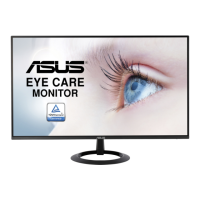
Need help?
Do you have a question about the Asus VZ239HE-W and is the answer not in the manual?
FCC compliance rules and conditions for operation.
Radio noise emissions compliance for digital apparatus.
Explanation of symbols and text conventions used in the manual.
Provides updated information on ASUS hardware and software products.
Mentions additional documents that may be included in the product package.
Identifies ports and connectors on the back of the monitor.
Explains how to use the physical buttons on the monitor for adjustments.
Step-by-step guide on how to navigate and change settings within the OSD menu.
 General
| Pixel pitch | 0.2652 x 0.2652 mm |
|---|---|
| Screen shape | Flat |
| Display surface | Matt |
| Display diagonal | 23 \ |
| Display technology | LED |
| Native aspect ratio | 16:9 |
| Maximum refresh rate | 75 Hz |
| NTSC coverage (typical) | 72 % |
| Viewable size, vertical | 286.4 mm |
| Contrast ratio (dynamic) | 80000000:1 |
| Contrast ratio (typical) | - |
| Display number of colors | 16.78 million colors |
| Viewable size, horizontal | 509.2 mm |
| Digital vertical frequency | 48 - 76 Hz |
| Digital horizontal frequency | 54 - 85.5 kHz |
| Display brightness (typical) | 250 cd/m² |
| Supported graphics resolutions | 1920 x 1080 (HD 1080) |
| No flickering | Yes |
| DisplayPorts quantity | 0 |
| AC input voltage | 100 - 240 V |
| AC input frequency | 50 - 60 Hz |
| Energy efficiency scale | A to G |
| Power consumption (off) | 0.2 W |
| Power consumption (typical) | 15.8 W |
| Power consumption (PowerSave) | - W |
| Tilt angle range | -5 - 22 ° |
| Cable lock slot type | Kensington |
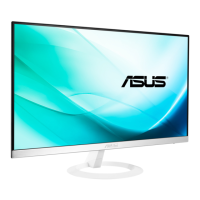
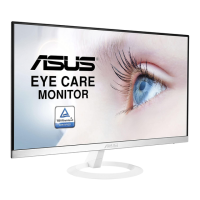
| Product color | White |
| Package depth | 125 mm |
| Package width | 597 mm |
| Package height | 500 mm |
| Package weight | 4200 g |
| Sustainability certificates | ENERGY STAR |
| Harmonized System (HS) code | 85285210 |
 Weight and Dimensions
| Depth (with stand) | 211 mm |
|---|---|
| Height (with stand) | 387 mm |
| Weight (with stand) | 2700 g |
| Width (without stand) | 531 mm |
| Height (without stand) | - mm |
| Weight (without stand) | - g |

 To Next Page