40
Notebook PC E-Manual
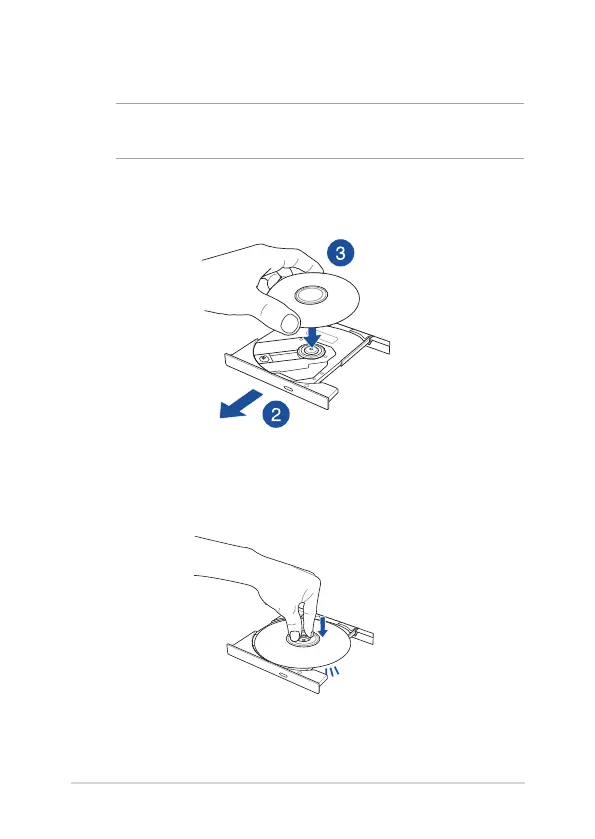
2. Gently pull out the drive tray.
IMPORTANT! Be careful not to touch the optical drive lens. Ensure that
there are no objects that may get jammed under the drive tray.
3. Hold the disc by the edge with its printed side up, then gently
place it inside the hub.
4. Push down the disc’s plastic hub until it snaps onto the optical
drive hub.


 To Next Page