30 ASUS Xonar DGX
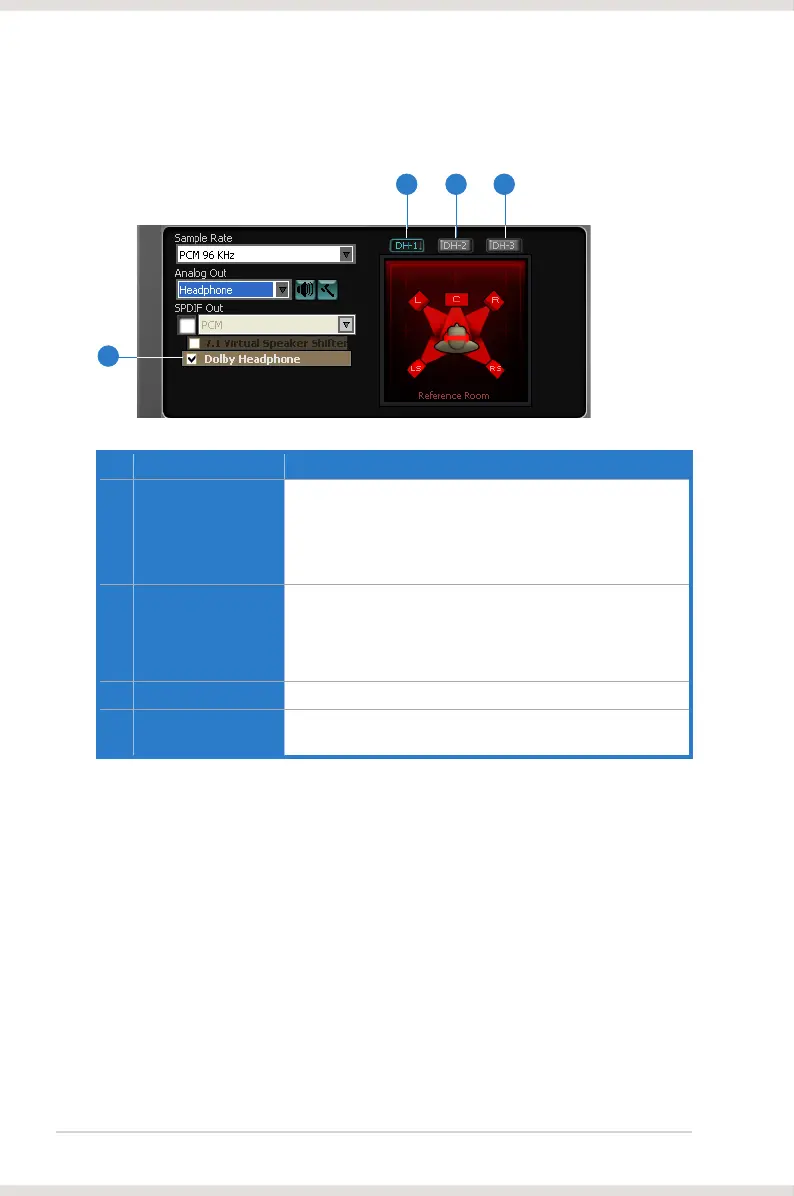
6.2.6 Dolby Headphone
No Item Description
1 Dolby Headphone
enable/disable
Tick this checkbox to enable Dolby Headphone. Click the
textbar to switch the right window to Dolby Headphone page
for manual adjusting.
* 7.1 Virtual Speaker Shifter and Dolby Pro-Logic IIx can be
selected only when Dolby Headphone is enabled.
2 DH1
be used with any type of audio. They differ in the sense of
the “spatial dimension” they impart.
DH1—Reference Room: Small, acoustically damped room.
3 DH2
DH2—Livelier Room: More acoustically live than DH1
4 DH3
and diffused effect.
2 3 4
1


 To Next Page
 Loading...












