21
ASUS Xonar DS
6.2 Main Setting
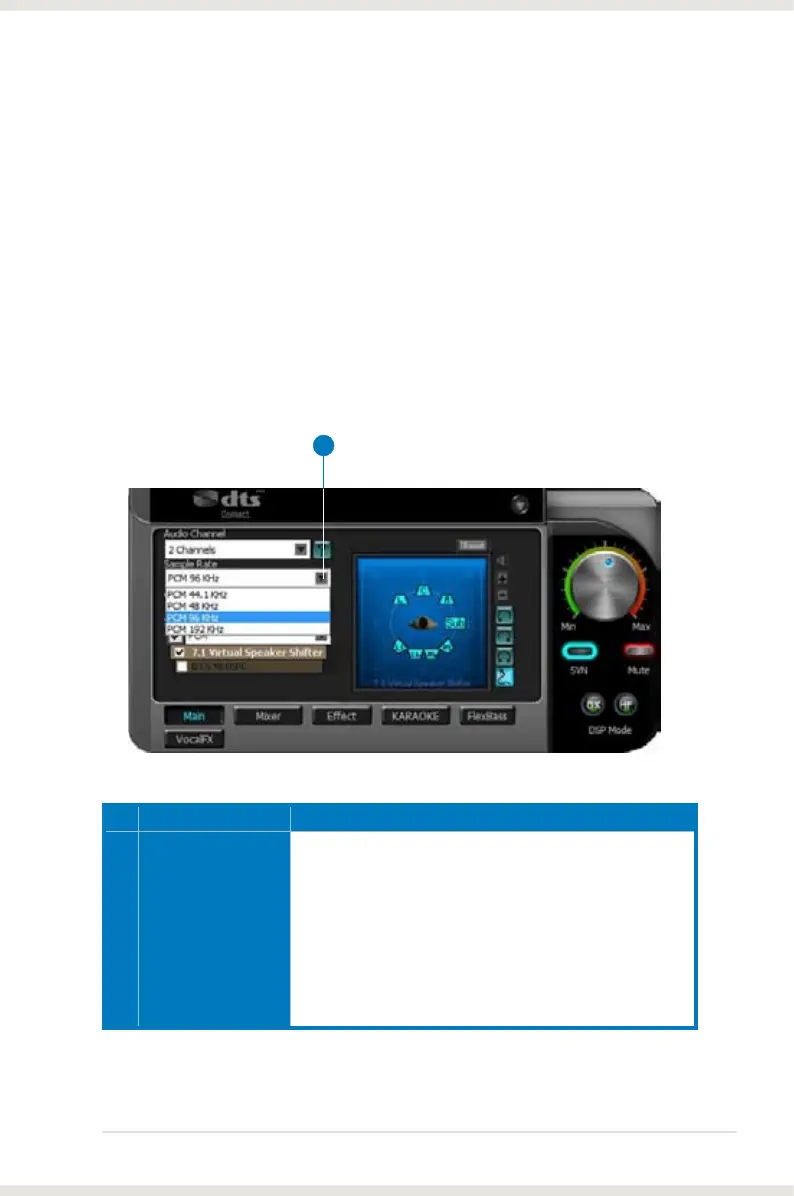
6.2.1 Sample Rate
The sample rate determines the number of audio samples per second that the
Digital-to-Analog Converters (DAC) and S/PDIF digital interface will output.
The Xonar DS card can support sample rates up to 192KHz (44.1K, 48K, 96K,
192KHz). Usually audio CDs and MP3 les are 44.1KHz; DVD-Video uses 48KHz;
DVD-Audio or other HD media may contain 96KHz or 192KHz high-denition
audio content. Please select the corresponding sample rate for your playback
sources to get the best audio delity. Even if your setting differs from the audio
source’s sample rate, the Xonar DS engine will do super high delity sample-rate-
conversion with a double oating-point lter, which can reduce total harmonic
distortion (THD+N) by -140dB.
No Item Description
1 Sample Rate
Select the sample rate that corresponds to (or exceeds that
of) your playback sources, for optimal audio delity. The
Xonar DS card supports sample rates up to 192KHz (44.1K,
48K, 96K, 192KHz). Typical values:
-Audio CD, MP3, WMA, Wave les are 44.1KHz;
-The audio of DVD-Video is 48KHz;
-DVD-Audio or other HD media may contain 96KHz or
192KHz high-denition audio content.
1



 To Next Page