30
ASUS Xonar DS
6.4 Effects
6.4.1 Environment Effects
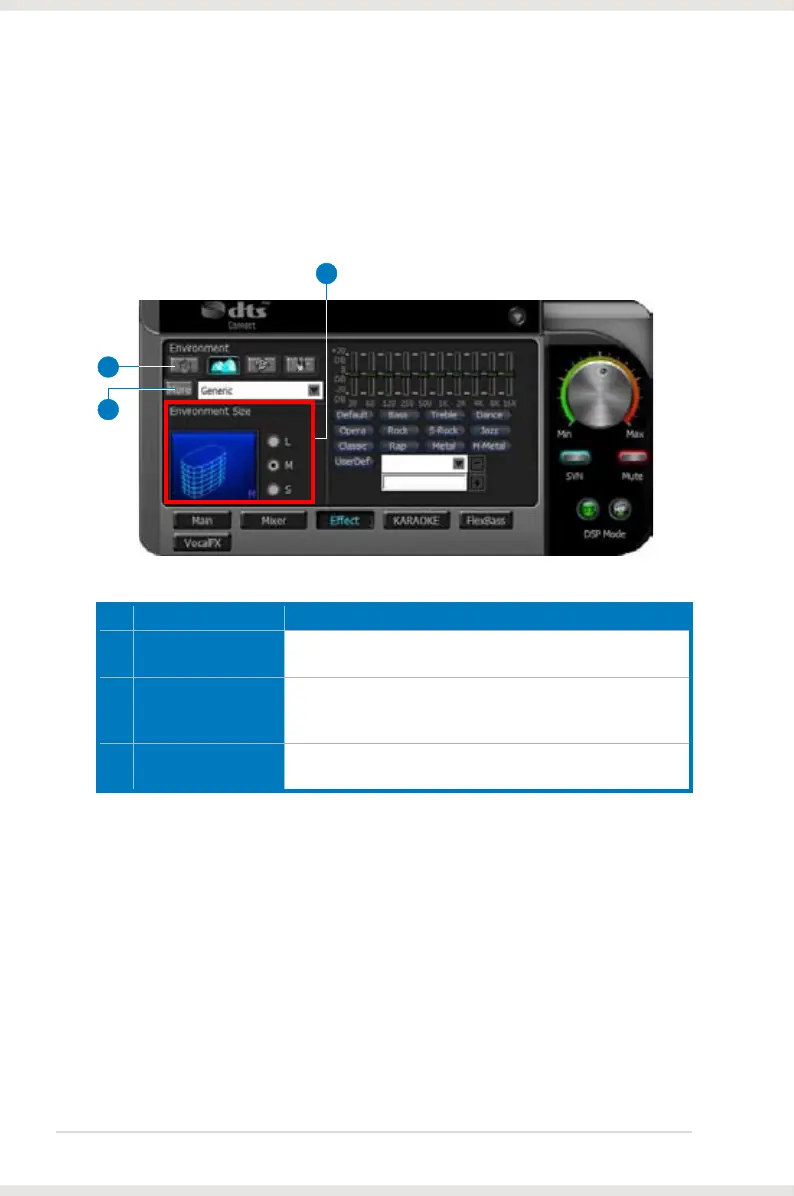
Environment effects can be used to create realistic listening experiences that
mimic different environments. There are a total of 27 environment options, which
can be applied to all 2D sound sources, like music.
No Item Description
1 Default environments
These four buttons activate Bathroom, Concert hall,
Underwater, and Music Pub environments, respectively.
2 More options
Clicking this button will apply the environment effect that you
select from the pull-down menu on the right side. There are
another 23 options in this menu.
3 Environment size
There are three size settings for each environment: Large,
Medium, and Small.
1
2
3



 To Next Page