Shutting Down Your NAS
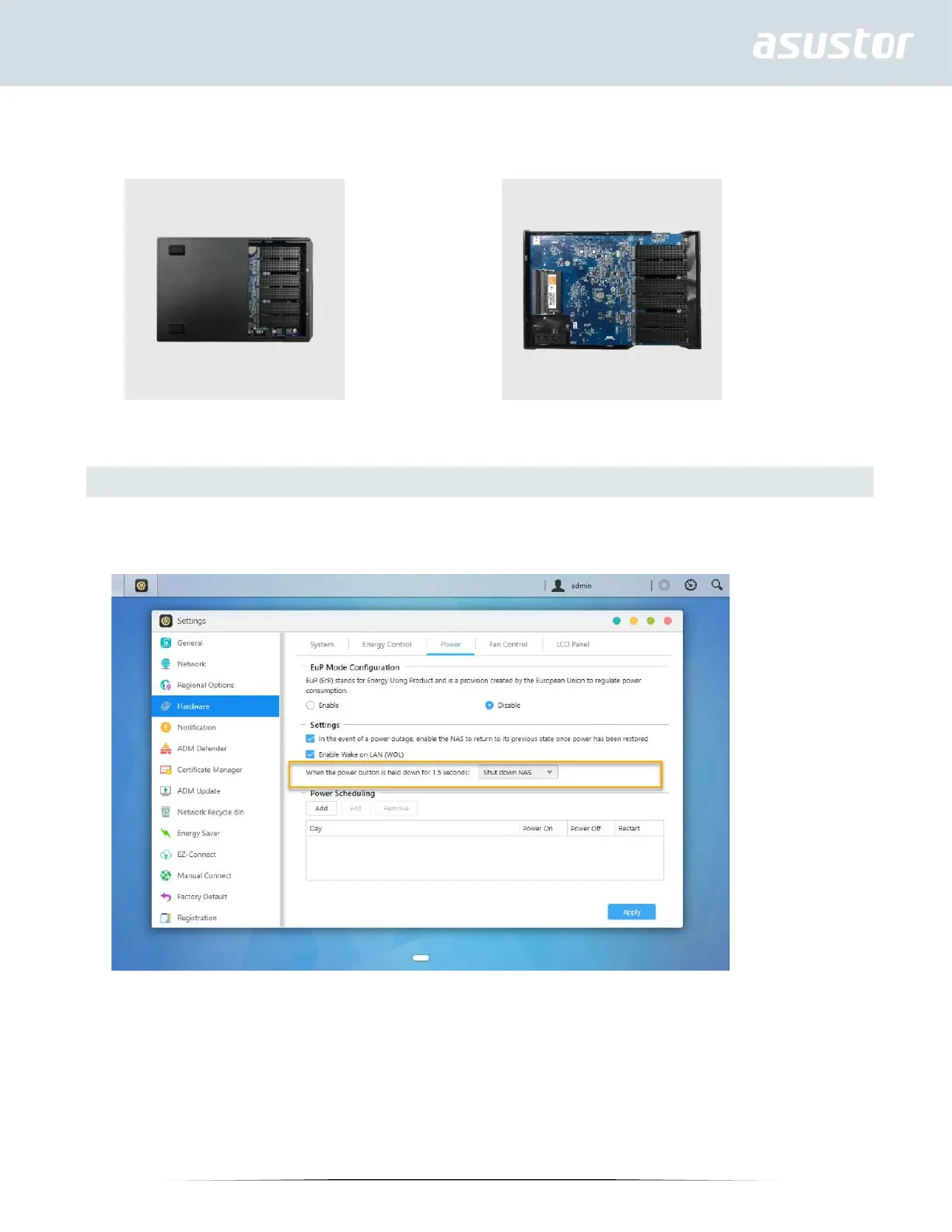
1. Confirm the function settings for the power button as shown in the graphic below. When the power button is held
down for 1.5 seconds you can decide whether to shut down the NAS or have it entered into sleep mode. This setting
may be access from within ADM by selecting: [Settings]→[Hardware] → [Power] → [Settings].
2. Hold down the power button for 1.5 seconds. You should be able to hear a “beep” from the system buzzer. Let go of
the power button and the NAS will either shut down or enter sleep mode depending on your configuration.



 To Next Page