7
3. Hardware Installation Guide
All data stored on installed M.2 SSDs will be deleted and cannot be recovered when initializing your NAS or creating a
volume. Before initializing, ensure data on M.2 SSDs is first backed up.
Tools Required for M.2 SSD Installation
Phillips head screwdriver
At least one 2280 NVMe M.2 SSD. For a list of compatible M.2 SSDs, click here.
Installing M.2 SSDs
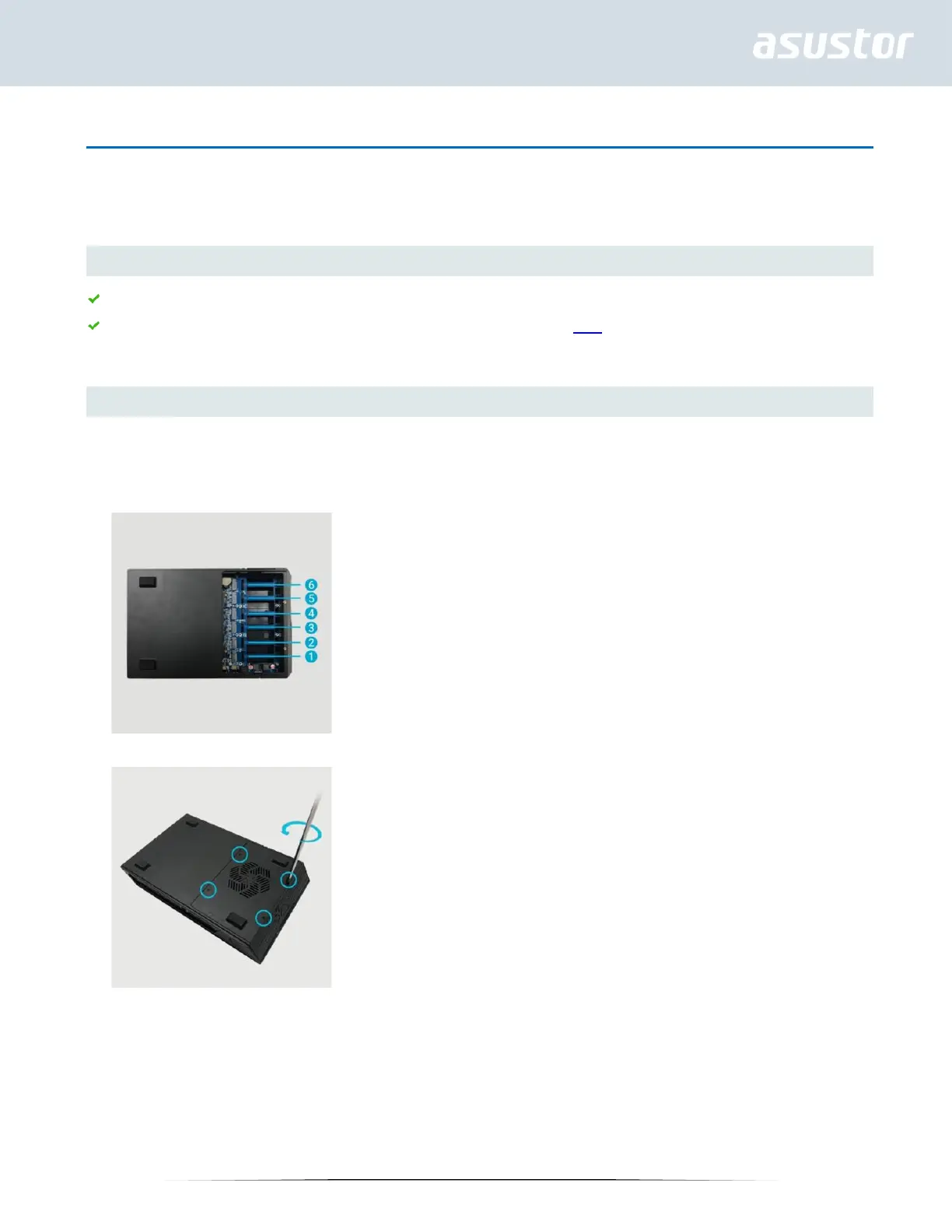
Installing SSDs in Slots 1-6 – FS6706T and FS6712X
1. Installed M.2 slots SSDs are numbered sequentially.
2. Use a Phillips screwdriver to remove the screws on the bottom cover.



 To Next Page