8
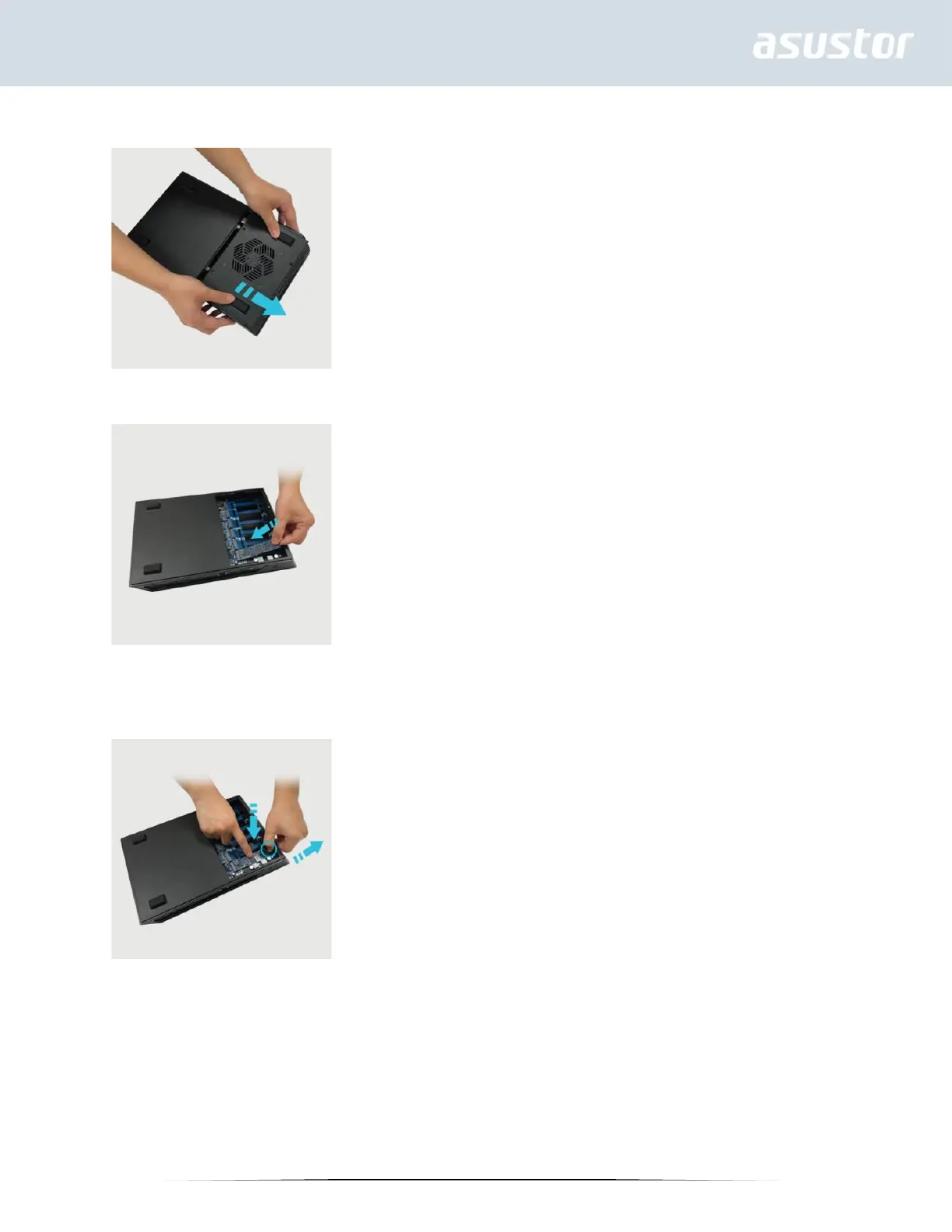
3. Slide the cover away from the NAS and lift upon release.
4. Align M-key M.2 SSD with the M-key notch of the slot and insert at a 45° angle.
5. Once inserted, push the SSD down so that it is flush with the motherboard while pushing SSD locking lever open to
secure the SSD. Once SSD is fully flush, release lever to secure SSD. If heatsinks are needed, they should be installed
now.



 To Next Page