BS5 User Manual v2.0 Instructions 17
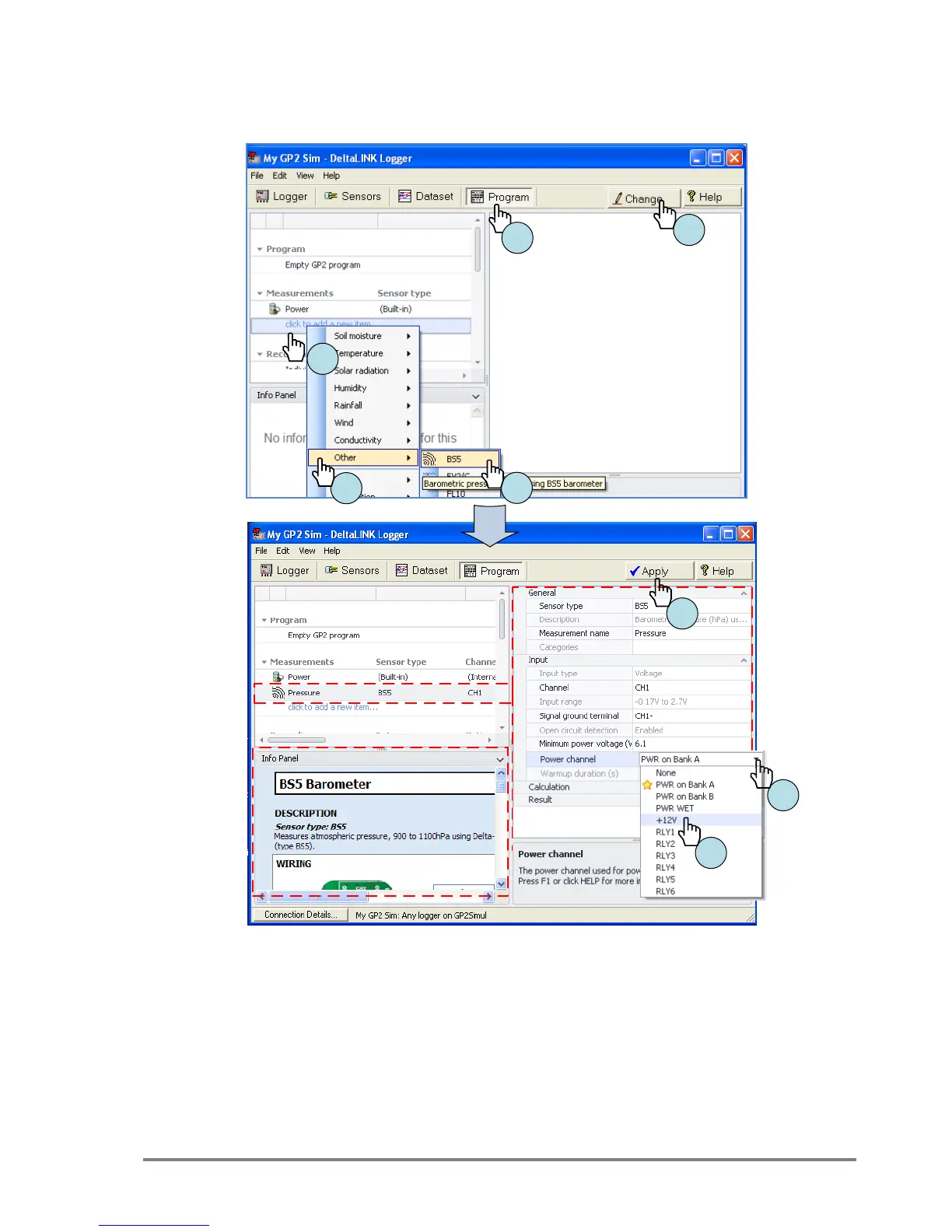
Program the GP2 Logger in 6 easy steps
Before you start ensure DeltaLINK is connected to your GP2 (or to the
GP2 Simulator).
1. Select Program.
2. Select Change.
3. Click on “Click to add new item”, under Measurement.
4. Select Other.
5. Select BS5.
6. Click on the far right of Power Channel to expose a drop- down
list of choices.
7. Select +12V.
8. Select Apply to send the program to the GP2 (or the simulator.)



 To Next Page