15
IN USE light does not go on.
Make sure four new AA batteries have been installed properly
(see Battery installation on page 4).
The IN USE light is flashing slowly.
Make sure that all telephones on the same line are hung up.
Inspect the telephone line cord connection at the wall jack.
Screen is blank.
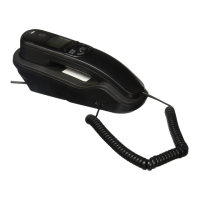
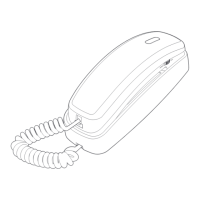
Make sure the coiled handset cord is properly and securely
connected to the handset and the telephone base.
Make sure four new AA batteries are installed properly (see
Battery installation on page 4).
You must subscribe to caller ID service from your telephone
service provider to see call information on the screen.
My caller ID features are not working properly.
Caller ID is a subscription service. You must subscribe to this
service from your telephone service provider for this feature to
work on your telephone.
The caller may not be calling from an area that supports caller
ID. Both your and the caller’s telephone service providers must
use equipment which are compatible with caller ID service.
Make sure your service provides caller ID information when on
a call. This is sometimes known as caller ID with call waiting, or
type II caller ID.
Make sure you have installed four new AA batteries properly
(see Battery installation on page 4).
If you subscribe to high-speed Internet service (DSL - digital
subscriber line) through your telephone line, you must install a
DSL filter between the telephone line cord and the telephone
wall jack. The filter prevents noise and caller ID problems
caused by DSL interference. Please contact your DSL service
provider for more information about DSL filters.
•
•
•
•
•
•
•
•
•
•
•
Troubleshooting


 To Next Page
 Loading...