EasyManua.ls Logo

AT&T Trimline TR1909 - Getting started

AT&T Trimline TR1909
24 pages
Print Icon
To Next Page IconTo Next Page
To Previous Page IconTo Previous Page
Loading...
2
3
MEMORY
Press to access telephone
numbers stored in the
speed dial memory.
Listening volume
Slide to adjust the
handset listening volume
to LO, MED or HI.
PAUSE/REDIAL
When the handset is
lifted, press to redial
the last number dialed.
When storing a number
in the memory, press to
insert a three-second
dialing pause.
PROG
Press to store a
telephone number in
the memory.
M1, M2, M3
When the handset is
lifted, press to dial a
number from the
one-touch memory.
MUTE
Press and hold MUTE to
silence the microphone
to prevent the other
party from hearing you;
you are still able to hear
the other party. Release
MUTE to return to the
conversation.
Switch hook
When held down, the
telephone is in idle
mode.
When released, the
telephone is ready to
make a call.
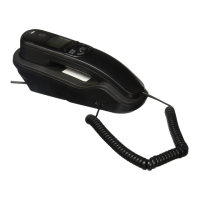
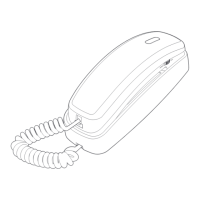
Handset layout
Dialing keys
Press to dial a number.

Other manuals for AT&T Trimline TR1909

Related product manuals