PONG 4P D&B Manual
11/18/2019
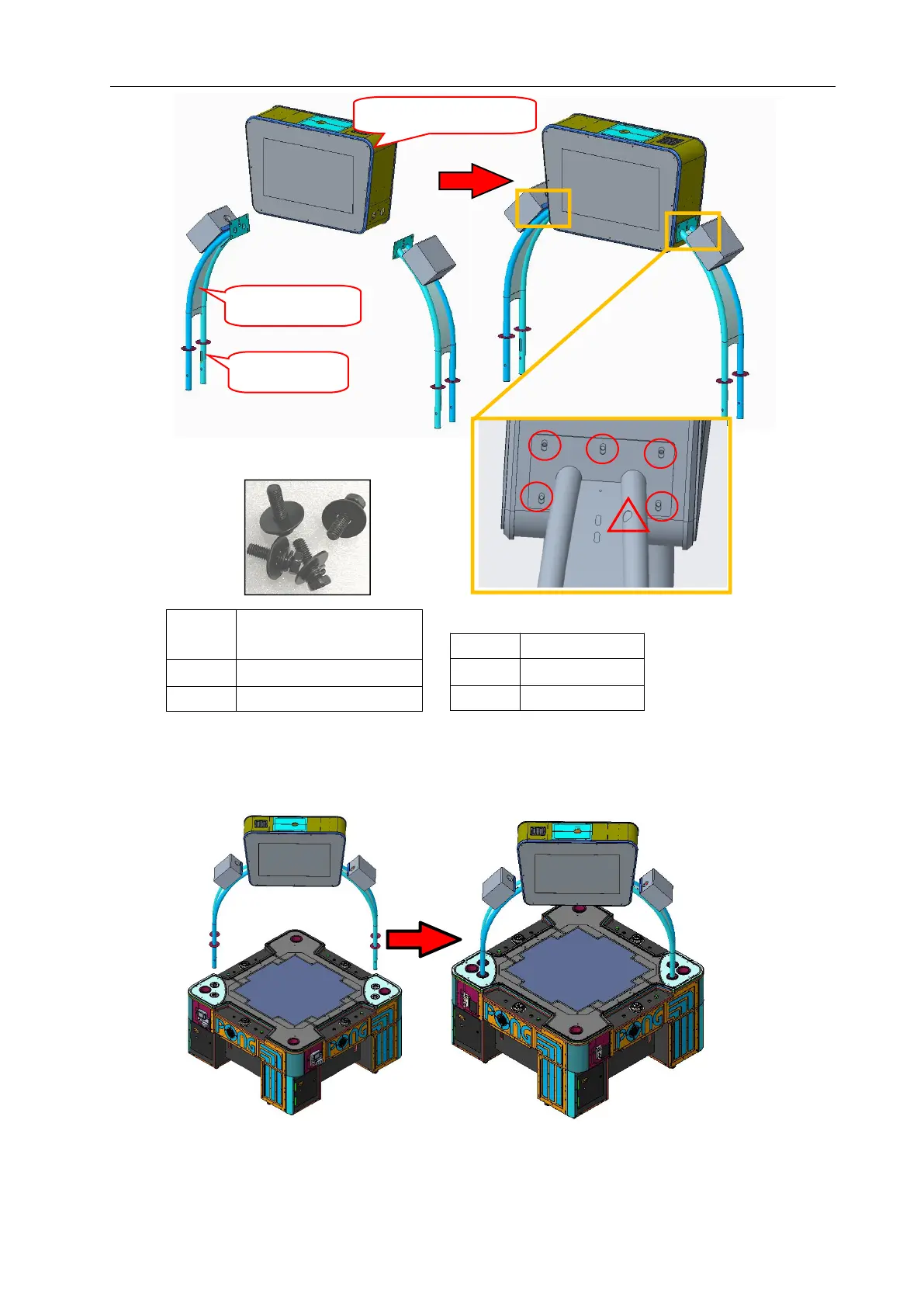
Step 2 Place the Monitor assembly on the cabinet.
Note: The Support post with cable slot should be installed to the brackets between Yellow
player(P2) and Red player(P1).
Notice: Due to the size, weight and balance, it is required that multiple installation
personnel be available for this task.
Cross recessed
hexagon screw set



 To Next Page