Need help?
Do you have a question about the ATC VARENA 500 and is the answer not in the manual?
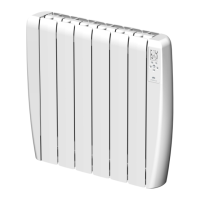
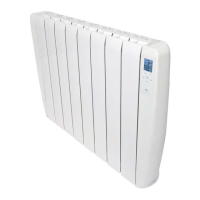
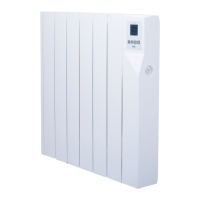
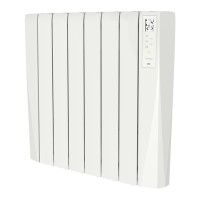
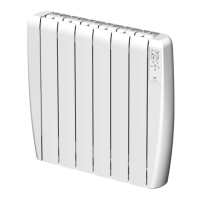
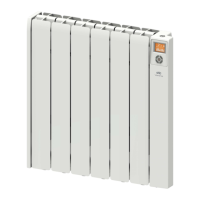
The ATC Varena Digital Electric Radiators are designed for efficient and programmable heating, offering daily and weekly scheduling capabilities. These radiators are EcoDesign Compliant, emphasizing energy efficiency and environmental responsibility.
The Varena radiators operate by heating a special oil contained within their aluminum elements, providing a consistent and comfortable warmth. They feature a large TFT-LCD screen with an orange backlight and white images for clear legibility, controlled by five keys. The core function is to maintain a desired room temperature through various operating modes and programmable settings.
The radiator can be switched between Standby and operational modes using a dedicated Standby key, which has a raised bump for easy identification by touch. In case of power failure, the radiator remembers its previous operating mode, temperature, and lock status for up to four days. Daily and weekly programs are permanently stored, even after extended power disconnections.
The Varena radiator offers several operating modes to suit different heating needs:
The radiator includes several advanced control functions:
Configuration: The configuration menu allows users to adjust four parameters: screen backlight level at rest (0 to 100%), screen backlight time (1 to 240 seconds), and enabling/disabling the Open Window Function and Adaptive Start Control Function.
Editing Day, Time, and Program: The day, time, and program can be edited by pressing and holding the mode key for 2.5 seconds. This process involves setting the day of the week, hour, and minutes, followed by programming each one-hour interval of the day as comfort, economy, or heating off. Programs can be copied from one day to the next, simplifying setup.
The Varena radiators require minimal maintenance. Surfaces should be cleaned regularly with PH neutral products; abrasive or granular cleaners should be avoided. It is recommended to switch off the electric power before cleaning.
Failure to keep the radiators clean can lead to dust burning and depositing on the wall above the heater, creating dark streaks or patches. This type of marking is a direct result of inadequate cleaning of the heater and its surrounding area. The manufacturer disclaims responsibility for any damage caused by such neglect.
In the event of any oil leakage, the manufacturer or ATC should be contacted, as repairs requiring the opening of the oil tank must only be performed by qualified personnel.
The appliance is not intended for outdoor use and should not be located underneath an electrical connection. Proper air circulation around the heater is crucial, requiring a minimum distance of 100 mm from curtains, furniture, and the floor. In bathrooms, the heater must be installed outside protected zones (Zone 2 in the UK, Zone 3 in Ireland), maintaining at least 0.6 m from baths or showers, and switches should not be accessible from the bath or shower.
The power cord, if damaged, must be replaced by the manufacturer, its after-sales service, or similarly qualified persons to prevent hazards. The electric supply line should be protected with a high sensitivity differential device (RCBO).
The product is designed for responsible recycling at the end of its life, with specific instructions for disposal at selective collection centers for electrical and electronic appliances or return to the distributor.
 General
| Heating Power | 500 W |
|---|---|
| Thermostat | Yes |
| Voltage | 220-240 V |
| Overheat Protection | Yes |
| Frequency | 50 Hz |
| Material | metal |

 To Next Page