A20/A21/A20W/A21W Quick Start Guide
ATCOM TECHNOLOGY CO., LIMITED
2.3 Wi-Fi (A20W/A21W only)
2.3.1 Configure the wifi on the phone
1 、 Press “Menu”-“Network”-“Connect Mode”,change for the wifi
connection mode,press “OK”.
2、 Press “Menu”-“Network”-“WIFI setting”-“WLAN”,choose the wifi
you want to connect,Press “Connect”,then input the correct wifi password.
3、 Return to the standby interface,and phone successful connected to the
wifi.
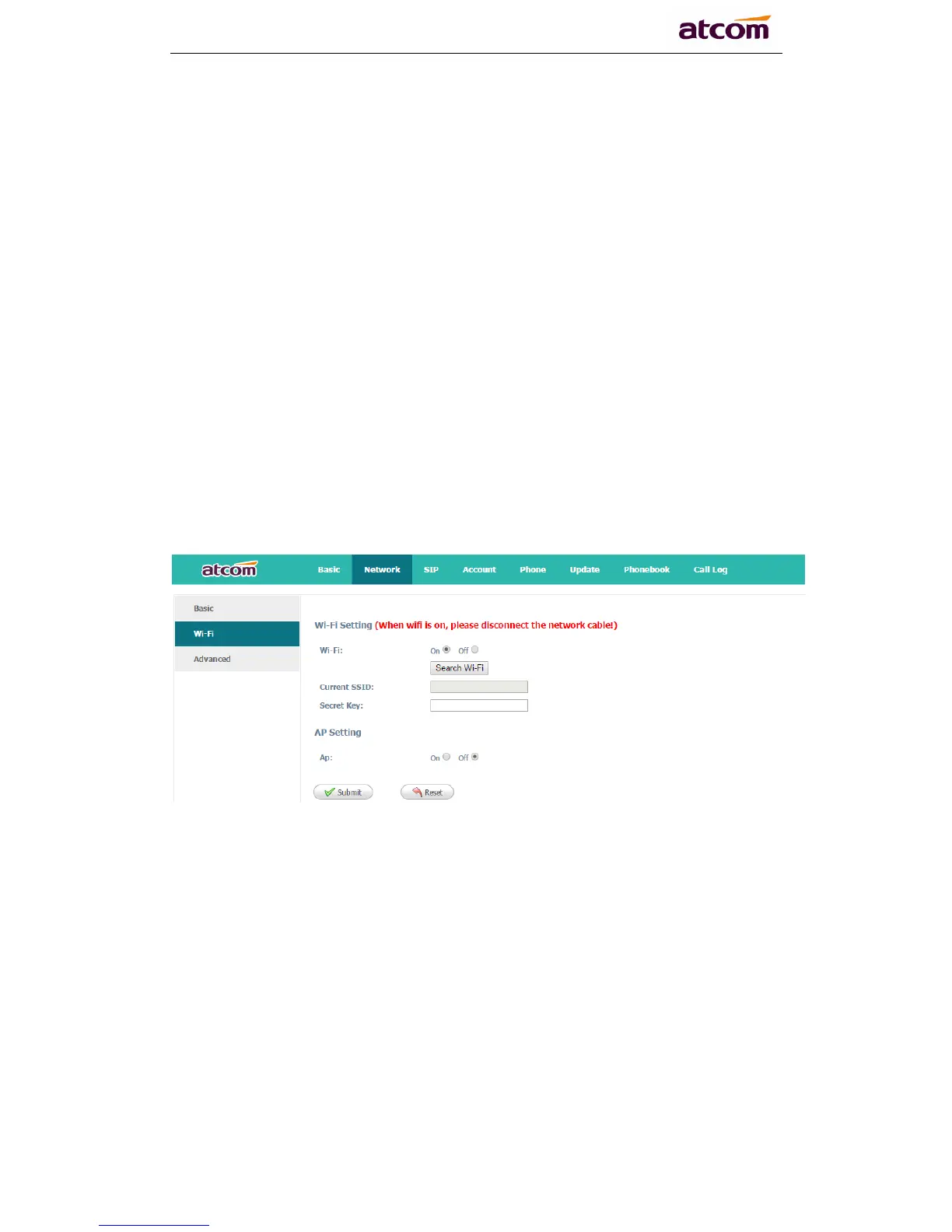
2.3.2 Configure the wifi on the WEB
A20W connect to network via Wi-Fi acquiescently, click “Search Wi-Fi” button
to search the available Wi-Fi.
After all available Wi-Fi hotspots are list out, click the round behind the available
Wi-Fi which you want to connect.



 To Next Page