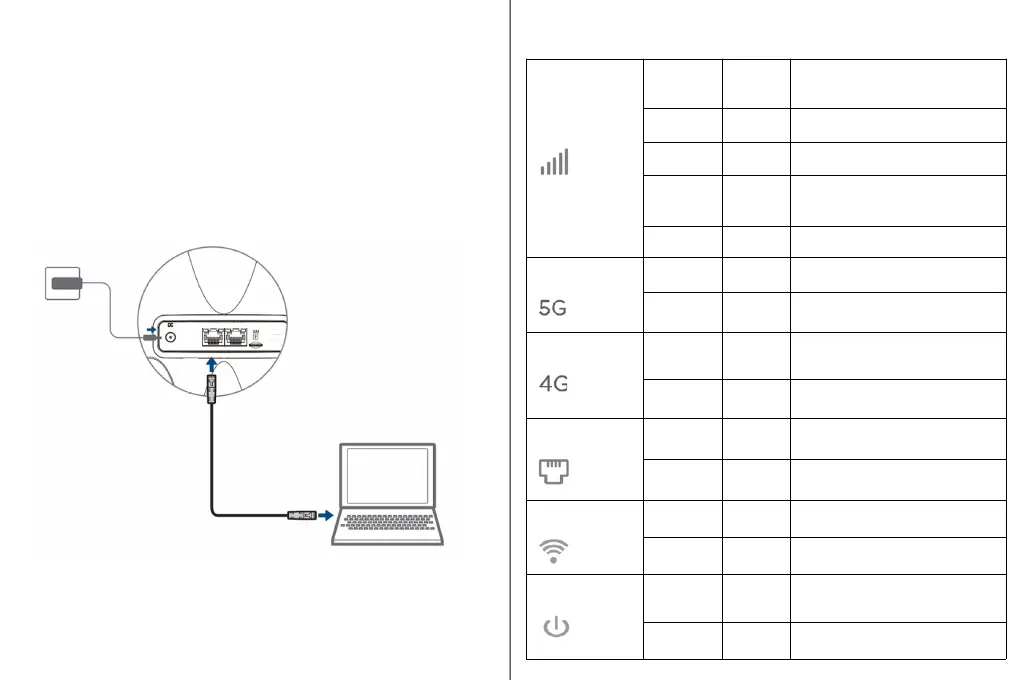
Connection with Wired or Wireless Clients
1. Use the LAN port to connect your wired client using
an Ethernet cable.
2. To connect over WiFi, scan the WiFi SSID name as
mentioned on device label and input the password
key for authentication on your wireless device.
LED Indicator Descriptions
Signal
On Green
Good signal,
RSRP > = -95dBm
On Blue
Normal signal,
-95dBm > RSRP >=-115dBm
On Red
Weak signal
-115dBm > RSRP >=-125dBm
Blinking Red
Error,
Due to No SIM card or Failed to
detect SIM card.
Off --- No Signal
5G Network
On Green
Device is in a connected state
with 5G Network.
Off ---
Device is in a disconnected
state with 5G Network.
4G Network
On Green
Device is in a connected state
with 4G Network.
Off ---
Device is in a disconnected
state with 4G Network.
LAN
On Green Client is connected over LAN.
Off ---
No Client is connected over
LAN.
WiFi
On Green
Client is connected over WLAN.
Off ---
No Client is connected over
WLAN.
Power
On Green
Indicates Device is powered
On.
Off --- No input power to the device.



 To Next Page