6 Perform the transition as an auto transition or manual transition from the transition
control block.
To perform a graphic transition on an ATEM advanced panel:
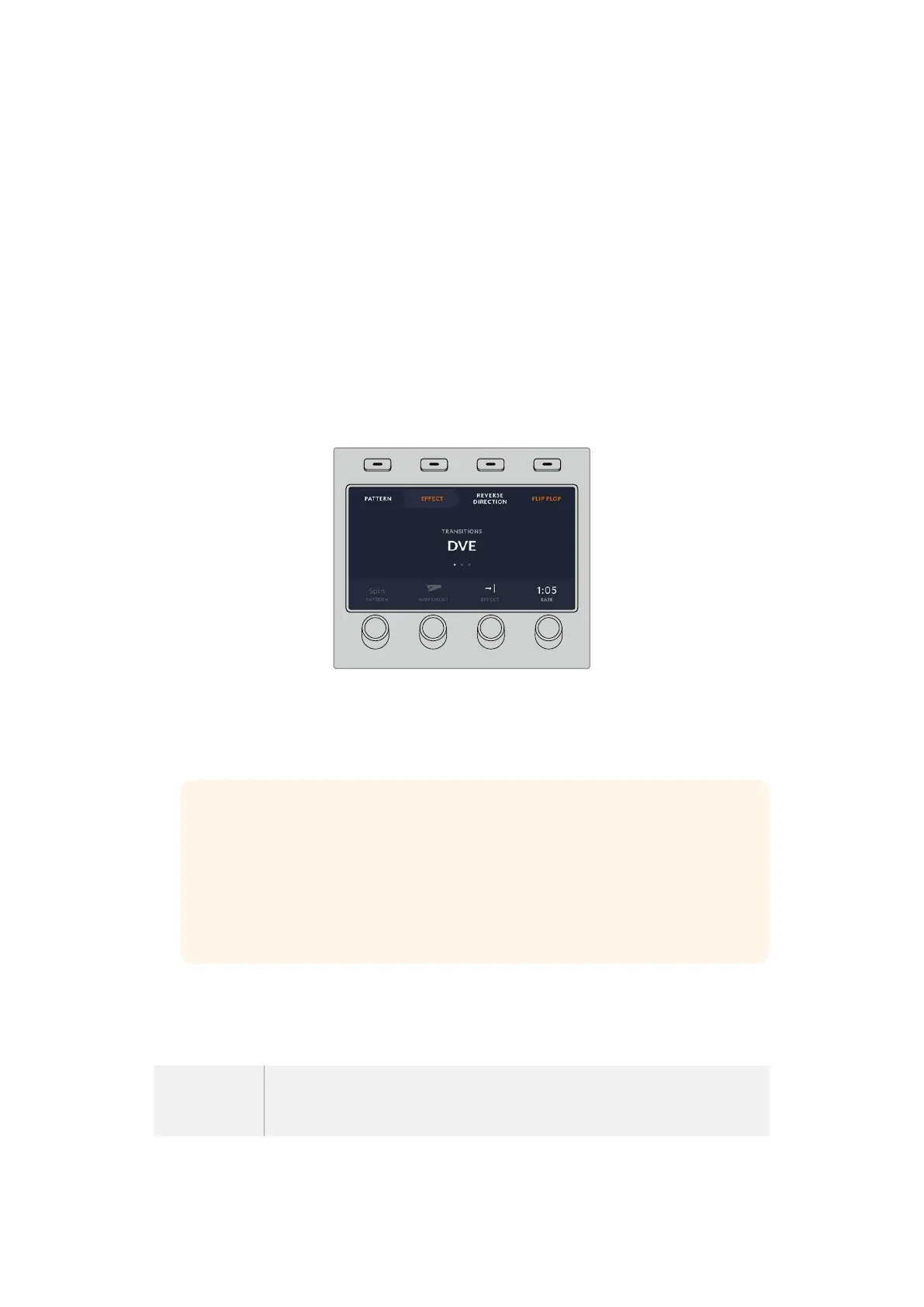
1 Press the DVE transition type button in the transition control block. The DVE settings menu
will appear on the LCD.
If the DVE is already being used in an upstream key, the DVE transition type will not be
available for selection until the key is taken off air and off next transition. Refer to ‘sharing
DVE resources’ later in this section for more information.
2 Press the ‘effect’ soft button in the LCD menu to open the effect settings.
The default direction is left to right, but you can change the direction by selecting
‘reverse direction’. You can also enable ‘flip flop’ which will let the effect move forwards
and backwards with each performance of the transition, rather than repeating the same
movement direction.
HOME
MIX
FTB
MACRO
SETTINGS
WIPE
MEDIA
PLAYERS
SUPER
SOURCE
KEYS
DVE
BORDER
CAMERA
CONTROL
STINGER
COLOR
AUDIO
DIP
AUX
1
4
7
ENTER
2
5
8
0
3
6
9
RESET
SHIFT MACRO
BKGD
KEY 1
KEY 2
KEY 4
KEY 3
ON
ON
ON
ON M/E 1 M/E 2
M/E 3
M/E 4
SHIFT DIP
DVE
STING
DSK 1
TIE
DSK 2
TIE
DSK 1
CUT
DSK 2
CUT
DSK 1
AUTO
DSK 2
AUTO
FTB
MIX
CUT
AUTO
WIPE
ARM
PREV
TRANS
3 Press the right arrow in the system control buttons to adjust the key settings. Enable the
key and select the fill and key source. If you need to make adjustments to the key, for
example adjusting clip and gain settings, press the right arrow in the system control buttons
to access the key parameters.
TIP Typically, for a graphic transition, the source would normally be a graphic
loaded in a media player. By default, when you select a media player for the fill
source, the key source will automatically select the media player key channel and
set pre multiplied key to ‘on’. This means a graphic with a key matte embedded in
the alpha channel will automatically be selected by the switcher. You can disable
pre multiplied key and change the key source if you want to use a separate media
file on a different media player, or a different input source.
4 Press the auto button to perform the transition as an auto transition, or use the fader bar for
a manual transition.
Description of Graphic Wipe Parameters
Rate Rate specifies the length of the transition in seconds and frames. Therate can
be adjustedusing the rate knob or by entering a number on the number pad and
pressing the set ratebutton.
100Operating your ATEM Switcher


 To Next Page
 Loading...
