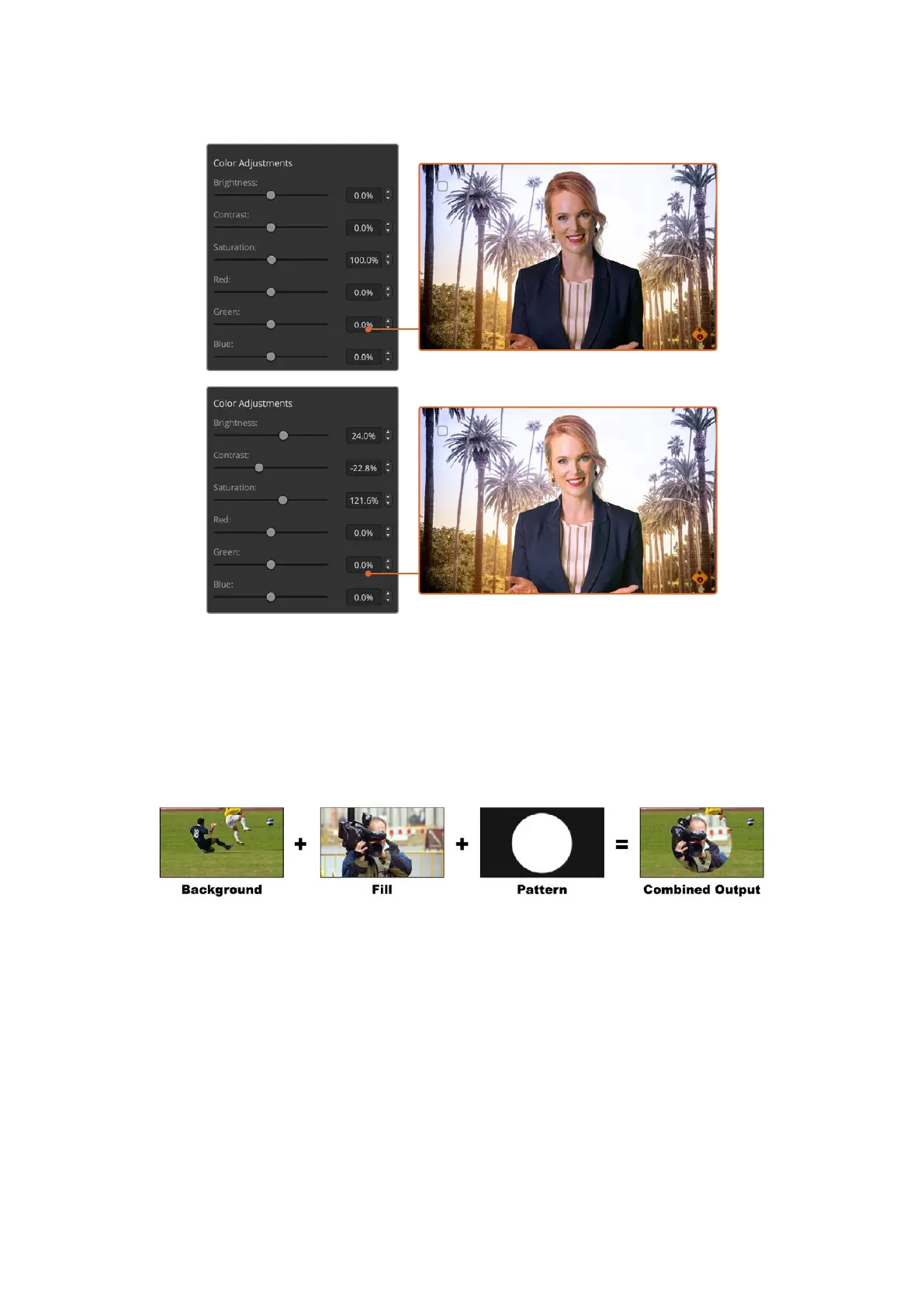
Use the color adjustments controls to match your foreground with the background
Pattern Key
A pattern key is used to display a geometric cut out of one image on top of another image. In
a pattern key the key or cut signal is generated using the switcher’s internal pattern generator.
The internal pattern generator can create 18 shapes that can be sized and positioned to
produce the desired key signal.
Combining a background with a fill and pattern key
Background
A full screen image.
Fill
Another full screen image you wish to overlay on top of the background.
Key/Cut
In the case of a pattern key the key/cut signal is generated by the switcher’s internal
pattern generator.
110Keying using ATEM Switchers



 To Next Page