Pattern Key Settings
5 Press the system control left and right arrow buttons to navigate through the pattern key
parameters and adjust settings using the control knobs. Watch the preview output as you
refine the key.
TIP Some patterns can have their center point repositioned. Use the joystick to move
the position of the pattern. If you need to reset the position, navigate to the ‘pattern
type’ setting, change it to another pattern and then return to your chosen pattern to
reset the position to its default.
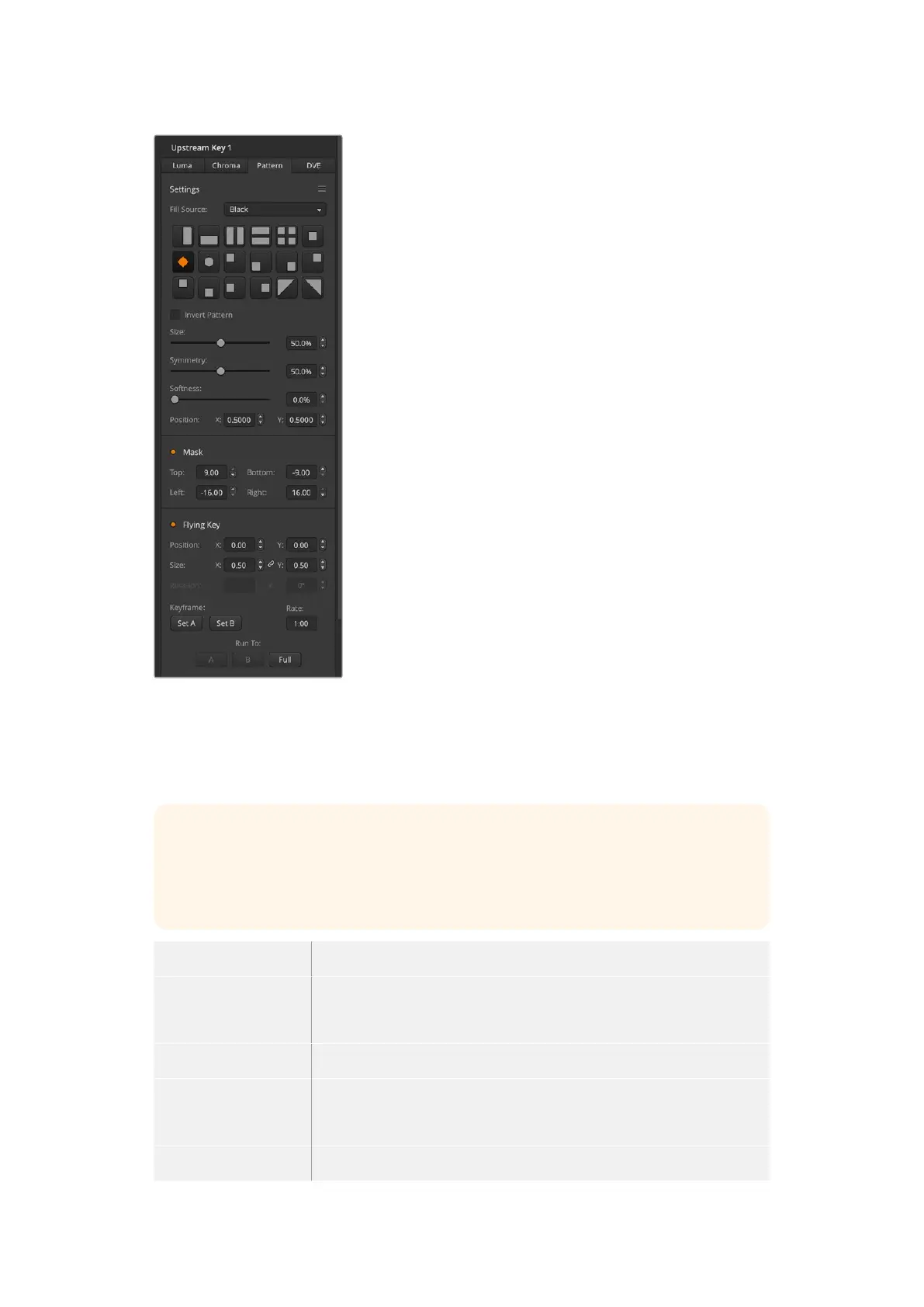
Size Increases and decreases the size of the selected pattern.
Symmetry Some patterns may have their symmetry or aspect ratio adjusted.
Circlepatterns may be adjusted to become horizontal or vertical ellipses.
Twist the joystick knob to adjust its symmetry.
Softness Changes the softness of the edge of the key signal.
Invert Pattern This button inverts which the region filled with the fill source. Forexample,
fill a region outside of a circle by positioning the circle wipe as desired and
then selecting inverse.
Flying Key Enables/disables DVE effects
Performing an Upstream Pattern Key
To set up a pattern key on upstream keyer 1 on the software
control panel:
1 Expand the upstream key 1 M/E 1 palette and select pattern
from the key types bar.
2 Select the fill source.
3 Select the key pattern.
4 Adjust the key parameters to refine the key. For a
description of pattern key parameters, refer to the
table below.
To set up a pattern key on upstream keyer 1 on an ATEM
advanced panel:
1 Press the KEY 1 next transition button to enable the key on
the preview output. This automatically selects the keyers
menu on the system control LCD. Pressing the KEY 1 next
transition button ties the key to the next transition so it will
transition to air when the next transition is performed.
2 In the keyers LCD menu, select the ‘pattern’ key type using
the corresponding ‘key type’ control knob.
3 Select the fill source using the corresponding soft control
knob or by pressing a source button on the source
select bus.
4 Turn the corresponding soft control knobs to choose the
‘pattern’ you want for the pattern key and set the ‘size’ of
the pattern.
111Keying using ATEM Switchers


 To Next Page
 Loading...
