4 Launch ATEM Software Control and it will automatically look for your control surface using
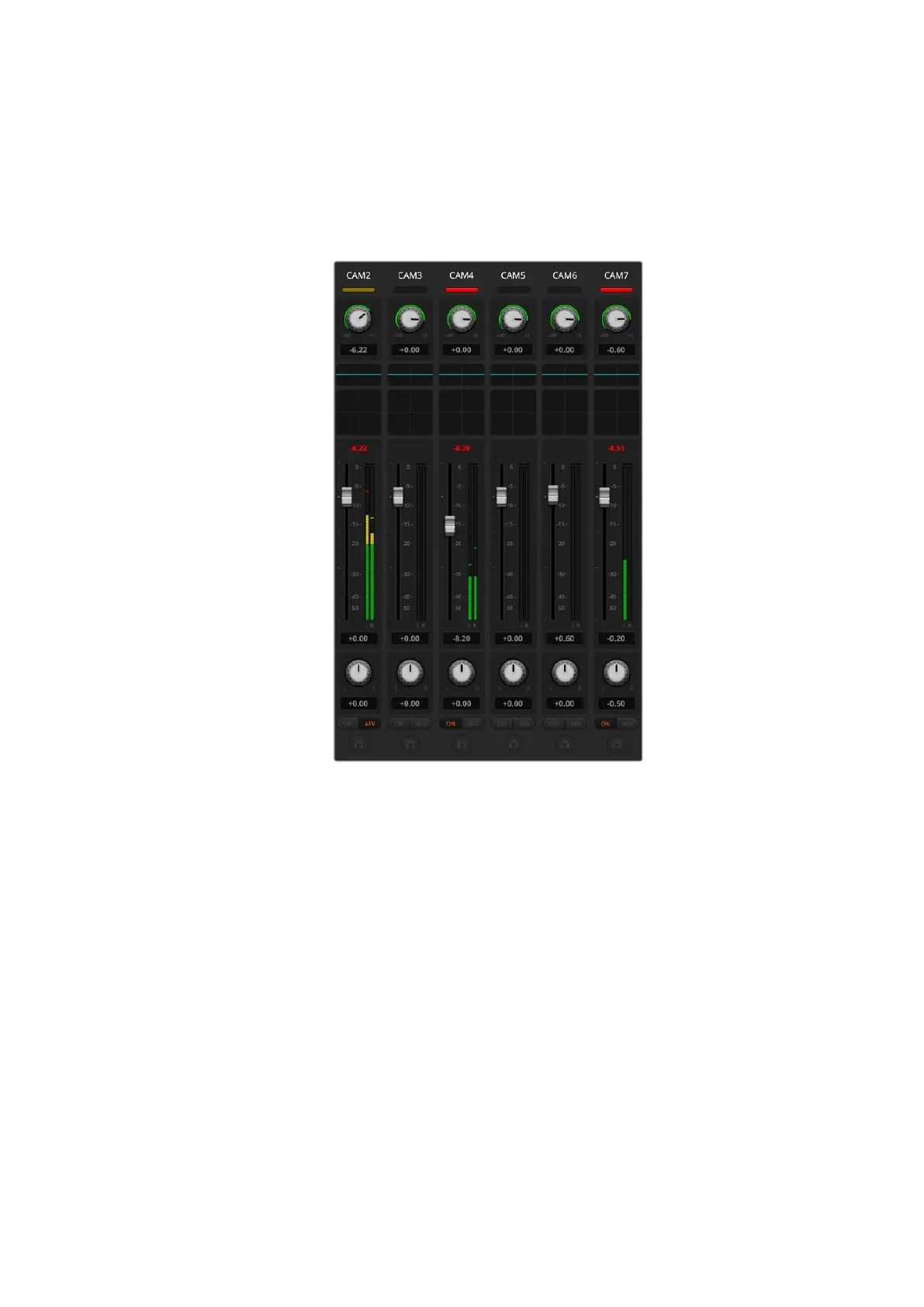
the first port on the first MIDI device that it finds. Click on the Audio tab in ATEM Software
Control to display the ATEM audio mixer. Try sliding the gain faders up and down on your
hardware control surface and verify that the audio mixer faders show a corresponding
increase and decrease in the software on your computer screen. If so, you have
successfully configured your control surface to work with the ATEM switcher.
Try sliding the gain faders up and down on your hardware
control surface and verify that the audio mixer faders
show a corresponding movement in the software on your
computer screen
The MUTE button
In the ATEM audio mixer interface, audio is always on, or present in the mix, when the
ON button is selected. When the ON button is deselected, audio is not present or is muted.
Tomatch the software interface, you’ll find the MUTE button on your audio mixer control surface
will be lit when audio is always on or present in the mix. The MUTE button will be unlit when
audio is not present or is muted.
Decibel Scales
All hardware mixers are made differently and the scale printed on your control surface may not
match the scale in the ATEM audio mixer interface. Always refer to the ATEM audio mixer levels
for the true decibel scales.
157Using Tally



 To Next Page