Time of Day
When ATEM Constellation model switchers are connected to your computer, the unit will
sync time of day timecode with your computer. The unit has a built in clock that can continue
running for approximately 6 days, so once you disconnect the switcher from your computer, the
time of day timecode will continue until the battery is depleted. The battery will charge while
connected to your computer via USB.
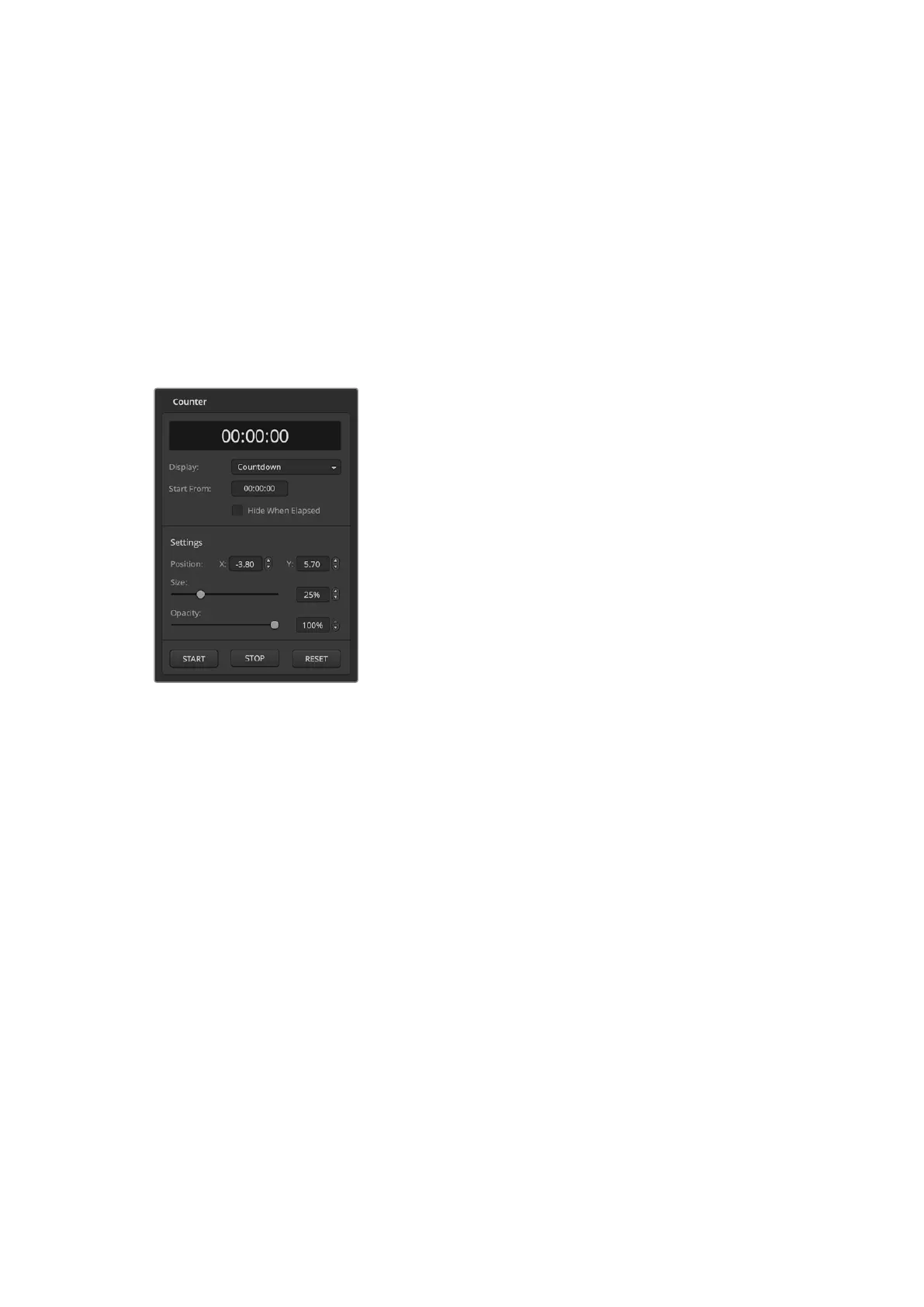
Counter
ATEM Constellation HD switchers feature a counter option so you can overlay a timer on
output1. This can be useful for a presenters monitor, where you can display a countdown if
there is a time limit for the lecture, or a countup if there is no limit, but to monitor how long the
lecture has been going.
ATEM Media Pool
Press the media icon in the lower toolbar of the switcher view to open the media window. The
media window on ATEM switchers is where you can add graphics such as stills and video clips
to your switcher and assign them to any of your switchers media players. There are two main
areas on the switcher window, the browse window on the left hand side and the media pool
and media players window to the right .
To set the counter:
1 Choose countdown or countup.
2 To set a time limit for the countdown, enter the start
from time.
3 Using the settings, you can position the location of
the counter on the overlay along with setting the size
and opacity.
4 Once the settings are complete, you can start the
counter. Make sure the counter overlay is selected by
going to the outputs menu in the upper toolbar and
check ‘counter overlay’ is selected on output 1.
37ATEM Software Control



 To Next Page